Image-security

Navigating Online Privacy Settings: A Step-by-Step Guide

In today’s hyper-connected world, safeguarding your online privacy is more important than ever. Every time you log into an account, browse the web, or engage on social media, you’re leaving behind a trail of digital breadcrumbs that can be exploited by advertisers, hackers, or even data brokers. Luckily, you have control over much of the data shared online through privacy settings, which can be fine-tuned across different platforms. This guide will help you navigate those settings to better protect your personal information.

1. Social Media Accounts

Social media platforms like Facebook, Instagram, Twitter, and LinkedIn collect significant amounts of personal information. However, they also provide users with tools to limit what is shared. Here’s how to adjust your settings:

  • Facebook: Head to the Privacy Settings and Tools section to limit who can see your posts, profile information, and friend list. You can also adjust ad preferences to prevent advertisers from using your activity data.
  • Instagram: Make your account private so that only approved followers can see your content. You can also control who can comment on your posts and message you.
  • Twitter: Turn on “Protect Your Tweets” to ensure that only approved followers can view them. You can also disable location sharing and control who can tag you in photos.

2. Web Browsers

Web browsers are gateways to the internet, and adjusting privacy settings here is crucial. Most modern browsers, such as Chrome, Firefox, and Safari, have features that enhance your privacy.

  • Google Chrome: Navigate to “Settings > Privacy and Security” to control cookies, site data, and location services. You can also opt for “Do Not Track” requests, although not all sites honor these.
  • Mozilla Firefox: Firefox offers enhanced tracking protection that blocks social media trackers, cross-site tracking cookies, and cryptominers. You can turn this on in the Privacy & Security settings.
  • Safari: Apple’s Safari automatically blocks third-party cookies and has a built-in tool to prevent trackers from following you across the web. You can adjust these in the “Preferences” section.

3. Mobile Apps

Many mobile apps collect data in the background, even when you’re not actively using them. Take control by modifying your device’s privacy settings.

  • Android Devices: Go to “Settings > Privacy” and review app permissions. You can prevent apps from accessing your camera, microphone, and location when not needed. Android 10 and later versions offer enhanced privacy controls.
  • iOS Devices: Apple emphasizes privacy, and iPhones allow you to control how apps use your data. In “Settings > Privacy,” you can manage permissions for location services, Bluetooth, and app tracking.

4. Email Privacy

Email services often collect data for advertising or profiling. However, privacy settings can limit this.

  • Gmail: Google uses your email activity for targeted ads, but you can manage ad personalization in your Google Account under “Data & Privacy.” You can also enable two-factor authentication for added security.
  • Outlook: Microsoft’s Outlook provides options to limit ad tracking and email scanning in “Settings > Privacy.” You can also encrypt sensitive emails for added protection.

5. Protecting Your Privacy Beyond Settings

While adjusting privacy settings is essential, using dedicated privacy protection tools can provide an additional layer of security. For instance, anti-tracking software like Avast BreachGuard helps you monitor your online activity, block trackers, and protect your personal data from being sold by companies and data brokers.

Avast BreachGuard also assists with adjusting privacy settings across multiple online accounts, ensuring you’re fully protected from unauthorized data collection. Whether you’re concerned about hackers, advertisers, or companies exploiting your data, using tools like BreachGuard ensures comprehensive privacy protection.


Click here to get the product to enhance your online privacy and stay protected from data breaches!

firewall_image

How to Safely Browse the Web Without Being Tracked: Essential Tips

In today’s digital world, our every move online is constantly monitored by advertisers, websites, and even data brokers. Each website visit, search query, and online purchase adds to a growing digital footprint, making it easy for third parties to build a profile of your habits and preferences. This raises concerns over privacy, as personal information could be used for targeted ads, sold to companies, or even exposed in a data breach. Fortunately, there are steps you can take to protect yourself and browse the web safely without being tracked.

1. Use a Private Browser Mode

Most browsers offer a private or incognito mode that prevents your browsing history from being saved on your device. While this mode won’t completely shield you from being tracked online, it helps by not storing cookies, cached files, or form data, offering an extra layer of privacy. However, it’s important to remember that websites and your internet service provider (ISP) can still track your activity.

2. Enable Do Not Track (DNT) Requests

Some browsers allow you to send a Do Not Track request to websites, asking them not to track your browsing activities. While not all websites honor this request, it’s still a useful feature to activate, as it indicates your preference for privacy. Unfortunately, DNT is voluntary, and many websites simply ignore it, so it shouldn’t be relied on as a sole solution.

3. Install a Tracker Blocker Extension

Several browser extensions are specifically designed to block tracking scripts and cookies. Popular tools like Ghostery or Privacy Badger can identify and stop trackers from collecting data about you. These extensions give you more control over what trackers are allowed to run, enabling you to choose which ones to block or permit.

4. Use a Virtual Private Network (VPN)

A VPN masks your IP address and encrypts your internet traffic, making it more difficult for websites, ISPs, and even hackers to track your online behavior. When you connect to the internet via a VPN, your location and identity are hidden, providing a secure browsing experience. A VPN is particularly useful when connecting to public Wi-Fi networks, where your data is more vulnerable.

5. Clear Your Cookies Regularly

Cookies are tiny data files that websites place on your device to retain your settings, login information, and other relevant details for a smoother browsing experience. While cookies can be helpful for a smoother browsing experience, they are also used to track your activity. Regularly clearing your cookies and browsing data can minimize the amount of information collected by websites.

6. Opt for Search Engines that Prioritize Privacy

Traditional search engines like Google often track your search history and personalize results based on your data. To avoid this, consider switching to privacy-focused search engines like DuckDuckGo or Startpage, which do not track your searches or store personal information. This gives you more privacy when conducting online searches.

7. Minimize the Personal Information You Disclose Online

The more personal information you provide online, the easier it is for companies to track and target you. Be cautious about sharing personal details on social media and other platforms, and regularly review your privacy settings to ensure that only necessary data is being collected. Limiting what you share can reduce your digital footprint and enhance your online privacy.

8. Use Anti-Tracking Software

One of the most effective ways to prevent websites and advertisers from tracking you is by using specialized anti-tracking software. These tools block tracking scripts, remove tracking cookies, and disguise your digital fingerprint, making it difficult for companies to monitor your online behavior.

If you’re looking for a comprehensive solution to protect your privacy while browsing the web, click here to get the product that offers real-time protection against online tracking and spying.

phone-image1

Keeping Your Android Safe: Essential Features of an Antivirus App

In an increasingly digital world, our smartphones serve as gateways to our personal and professional lives. With this convenience comes the risk of malicious attacks, making it essential to keep our Android devices safe and secure. A reliable antivirus app is a must-have for anyone looking to protect their sensitive information and ensure smooth device performance. Here are some essential features to look for in an antivirus app for your Android device.

1. Real-Time Protection

One of the most crucial features of any antivirus app is real-time protection. This functionality continuously monitors your device for potential threats, scanning apps, files, and downloads as you interact with them. Real-time protection ensures that any malicious content is detected and neutralized before it can cause damage, providing peace of mind while you browse or download.

2. Malware Detection and Removal

A robust antivirus app should have advanced malware detection capabilities. It should be able to identify and remove various types of malware, including viruses, spyware, and ransomware. Look for an app that regularly updates its malware definitions, ensuring that it can combat the latest threats effectively.

3. Privacy Protection Features

With the increasing number of data breaches and privacy concerns, it’s vital to have features that protect your personal information. An excellent antivirus app should include privacy protection tools that block intrusive tracking cookies and safeguard your online activities. This ensures that your data remains private and helps you avoid unwanted ads.

4. Device Optimization Tools

In addition to protecting your device from threats, an antivirus app can help improve its overall performance. Features like junk file cleaning, memory optimization, and battery-saving tools can help your Android device run smoothly. Look for an antivirus that offers a cleanup tool to remove unnecessary files and free up storage space, keeping your device fast and efficient.

5. Secure Browsing and Wi-Fi Protection

Many antivirus apps come equipped with secure browsing features that protect you while you surf the web. This includes blocking harmful websites, phishing attempts, and other online threats. Additionally, Wi-Fi protection ensures that your connection is secure, especially when using public networks. An app that offers these features can help you browse safely without worrying about exposing your sensitive data.

6. VPN Integration

A Virtual Private Network (VPN) is crucial for maintaining online privacy, especially when using public Wi-Fi. Look for antivirus apps that include a VPN service to encrypt your internet connection, hide your IP address, and allow you to browse anonymously. This feature is especially important if you frequently access sensitive information on your mobile device.

7. User-Friendly Interface

A user-friendly interface is essential for any software, especially for mobile applications. The best antivirus apps offer intuitive navigation and easy access to various features, making it simple to customize settings and run scans. A well-designed app enhances the user experience, allowing you to focus on staying safe rather than struggling with complex settings.

Conclusion

Choosing the right antivirus app for your Android device is critical in today’s digital landscape. With features such as real-time protection, malware detection, privacy protection, device optimization, secure browsing, and VPN integration, you can ensure your mobile security is top-notch.

If you want comprehensive protection for your Android device, consider investing in a reliable solution. For an all-in-one package that covers all these essential features, click here to get the product.

By taking these precautions, you can enjoy the convenience of your Android device without compromising your safety.

business-image

Improving Business Productivity with Secure Remote Desktop Tools

In today’s fast-paced, digitally-driven business environment, maintaining productivity is more important than ever. As organizations grow and teams become more distributed, secure remote desktop tools have become an essential component of business operations. These tools allow IT teams and employees to access systems remotely, troubleshoot issues, and collaborate effectively, regardless of location.

In this post, we’ll explore how secure remote desktop tools can enhance business productivity, minimize downtime, and ensure the smooth operation of your organization.

1. Remote Access: A Productivity Game Changer

One of the most significant benefits of remote desktop tools is their ability to provide secure access to business systems from anywhere in the world. Whether employees are working from home, traveling for business, or accessing company servers from a remote office, these tools ensure seamless connectivity.

Remote access allows employees to troubleshoot and manage systems in real-time without waiting for in-person IT support. This means less downtime, quicker resolutions, and a boost in overall business productivity.

2. Enhancing IT Support Efficiency

For IT administrators, secure remote desktop tools are a powerful solution for providing timely and efficient support. Instead of physically attending to every device or system, IT teams can connect remotely, perform diagnostics, and resolve issues from a central location.

This streamlined process not only reduces the time spent traveling between offices but also allows IT staff to address problems faster, keeping employees focused on their tasks. When system issues are resolved quickly, productivity is maintained, and businesses avoid costly interruptions.

3. Secure Collaboration Across Distributed Teams

Remote desktop tools don’t just benefit IT teams; they’re also invaluable for collaboration between employees, especially in today’s era of hybrid and remote work. These tools enable team members to securely access shared resources, collaborate on projects, and work together on real-time tasks.

With the added benefit of secure data encryption, businesses can rest assured that their information is protected during remote sessions. This layer of security fosters trust, allowing teams to collaborate efficiently without fear of data breaches or unauthorized access.

4. Cross-Platform Compatibility for Better Flexibility

One challenge many businesses face is managing a diverse range of devices and operating systems. A key advantage of modern remote desktop tools is their cross-platform compatibility, meaning they work seamlessly with various systems such as Windows, macOS, and Linux.

This compatibility ensures that businesses can manage different devices within their network from a single, unified platform. As a result, administrators can quickly access, troubleshoot, and support devices across the organization, improving operational efficiency and reducing delays.

5. Secure File Transfers: Enhancing Collaboration

In the course of daily operations, businesses often need to transfer files between devices securely. Remote desktop tools with built-in file transfer capabilities allow administrators and employees to move critical data between systems without the need for third-party file-sharing solutions.

This feature not only ensures a seamless workflow but also maintains security, as all file transfers are encrypted and protected from unauthorized access. With the ability to share files securely, teams can collaborate more effectively, leading to faster project completion and improved productivity.

6. Reducing Downtime with Real-Time Troubleshooting

Downtime is the enemy of productivity. When business-critical systems go down, every second counts. Remote desktop tools enable IT administrators to troubleshoot and fix issues in real-time, minimizing disruption to business operations.

Instead of waiting for onsite assistance, IT teams can resolve issues instantly, ensuring that employees remain productive and systems are operational. The ability to quickly diagnose and fix problems remotely reduces costly downtime and enhances overall business performance.

Conclusion

Incorporating secure remote desktop tools into your business operations is a smart way to improve productivity, enhance IT support efficiency, and maintain a secure, collaborative environment for distributed teams. By enabling real-time access, troubleshooting, and secure file transfers, these tools minimize downtime and keep businesses running smoothly.

Interested in a remote desktop solution that can take your business productivity to the next level? Click here to explore a secure and versatile tool for your remote access needs.


image desktop

How to Enhance IT Support with Remote Desktop Solutions

In today’s fast-paced business environment, IT support needs to be quick, efficient, and effective. As organizations grow more reliant on digital infrastructure, the demand for seamless and remote IT support has become essential. Remote desktop solutions are rapidly transforming how businesses manage and troubleshoot their devices, offering a way to enhance IT support capabilities without the need for physical presence.

This article explores how remote desktop solutions can streamline IT support, improve productivity, and ensure that businesses remain operational with minimal disruption.

1. What Is a Remote Desktop Solution?

A remote desktop solution allows IT administrators to access and control a device from a different location. Whether the device is in the same building or halfway around the world, IT professionals can remotely monitor, troubleshoot, and resolve issues without needing to be physically present. This flexibility can significantly reduce downtime, making IT operations more efficient.

But a remote desktop solution is more than just a way to “fix things remotely.” It’s a comprehensive tool that empowers IT teams to offer proactive support, manage multiple systems, and ensure security across devices.

2. Boosting Efficiency with Remote Access

One of the most significant advantages of remote desktop solutions is their ability to streamline IT support processes. Traditional IT support often involves on-site visits, lengthy troubleshooting, and sometimes even device replacements. With a remote desktop tool, IT staff can immediately connect to the device in question, diagnose issues in real-time, and implement solutions on the spot.

This ability to access devices instantly not only reduces the time it takes to fix problems but also minimizes the need for costly service calls. By reducing physical intervention, remote desktop tools help businesses optimize resources and keep their operations running smoothly.

3. Ensuring Secure Remote Support

Ensuring security is crucial when dealing with remote access. Opening up a device to external access can create vulnerabilities, which is why a secure remote desktop solution is essential. Businesses need to ensure that the connections between IT administrators and remote devices are encrypted and that sensitive data remains protected during remote sessions.

A robust remote desktop solution, like Avast Business Premium Remote Control, provides end-to-end encryption and other security features that protect both the user’s device and the administrator’s system. This ensures that IT support activities are conducted securely, reducing the risk of unauthorized access or data breaches.

4. Cross-Platform Compatibility: Managing a Diverse Range of Devices

Modern businesses often use a variety of devices across different operating systems. A good remote desktop solution should offer cross-platform compatibility, allowing IT administrators to manage a diverse array of systems—whether it’s Windows, macOS, or Linux.

Cross-platform support ensures that IT teams can troubleshoot and maintain different devices without worrying about compatibility issues. This is particularly important for businesses with hybrid work models, where employees might use different devices depending on their location or personal preferences.

5. Reducing Downtime and Enhancing Productivity

One of the biggest hurdles businesses encounter is dealing with downtime. Every minute a system is down can lead to lost productivity, frustrated employees, and dissatisfied customers. Remote desktop solutions allow IT support teams to address issues quickly, significantly reducing the amount of time systems are down.

By offering real-time access to devices, IT teams can identify and resolve issues before they escalate into larger problems. This proactive approach ensures that businesses remain operational and that any disruptions are resolved promptly.

6. Collaborative IT Support for Faster Problem Solving

Some IT issues require more than one pair of eyes. Advanced remote desktop solutions allow multiple administrators to collaborate on the same session, making it easier to tackle complex problems. Collaborative support ensures that difficult issues are resolved faster, reducing the time spent diagnosing and troubleshooting.

This is particularly beneficial for businesses with large IT teams, as it allows experts to work together seamlessly, no matter where they are located.

Conclusion

Remote desktop solutions are transforming IT support, providing businesses with a way to enhance their support capabilities, reduce downtime, and maintain secure operations. With features like cross-platform compatibility, real-time troubleshooting, and secure connections, these tools empower IT teams to offer more efficient and effective support, no matter where their devices are located.

Ready to enhance your IT support with a secure and efficient remote desktop solution? Click here to explore the solution that offers all the features you need for seamless remote management and support.


Browser Cookies Image

The Hidden Dangers of Tracking Cookies: What You Need to Know

Every time you browse the internet, you leave behind a digital trail. One of the key components of this trail is tracking cookies, small data files stored on your device by websites you visit. While some cookies are harmless and help improve your browsing experience, others are designed to track your online behavior, often without your consent.

In this post, we’ll explore the hidden dangers of tracking cookies, how they compromise your privacy, and what you can do to protect yourself.

1. What Are Tracking Cookies?

Cookies are small files that websites store on your device to remember information about you, such as your login details or preferences. While these cookies can be useful, tracking cookies serve a different purpose. They are designed to monitor your online activities, collecting data about the websites you visit, the products you view, and even how long you spend on a particular page.

This data is then sent back to advertisers and companies, who use it to build a profile of your online behavior. With this information, they can target you with personalized ads and track your actions across multiple websites, often without your explicit permission.

2. How Tracking Cookies Compromise Your Privacy

The major concern with tracking cookies is that they collect data without your knowledge. Over time, these cookies accumulate a significant amount of personal information about your browsing habits. This data can reveal intimate details about your interests, shopping preferences, and even your location.

In the hands of advertisers or third-party companies, this information is used to deliver targeted ads. But more concerning is that it could potentially be shared or sold to other parties, increasing the risk of identity theft and other privacy violations. You might think you’re browsing anonymously, but tracking cookies ensure you are being watched.

3. Cross-Site Tracking: How Cookies Follow You Across the Web

Have you ever noticed that after searching for a product on one website, you start seeing ads for that product on other websites? This is the result of cross-site tracking. Tracking cookies allow advertisers to follow you across different sites, monitoring your actions and using that information to deliver personalized ads wherever you go online.

This form of surveillance not only invades your privacy but can also be unsettling. Cross-site tracking makes it easy for companies to collect vast amounts of information about your online habits, leaving you with little control over your digital footprint.

4. The Risk of Data Breaches

Another hidden danger of tracking cookies is their vulnerability to data breaches. When companies store your tracking data, they become potential targets for cybercriminals. If a company’s database is breached, your personal information—including the data gathered by tracking cookies—could fall into the wrong hands.

Hackers may use this information to steal your identity, access your accounts, or commit other forms of fraud. The more data companies collect through tracking cookies, the greater the risk of exposure in the event of a breach.

5. How to Protect Yourself from Tracking Cookies

While tracking cookies can seem unavoidable, there are steps you can take to protect your privacy:

  • Clear Cookies Regularly: Deleting cookies from your browser can help reduce the amount of tracking data stored on your device.
  • Use Private Browsing Modes: Most web browsers offer private or incognito modes that prevent cookies from being stored during your session.
  • Install Anti-Tracking Software: Advanced anti-tracking solutions can help block tracking cookies in real-time, preventing advertisers and third parties from monitoring your online activities.

Conclusion

Tracking cookies may seem harmless, but they pose significant risks to your privacy by monitoring your behavior and collecting sensitive data. To protect yourself from these hidden dangers, it’s important to be proactive in managing cookies and limiting the information they can gather.

Want to stop tracking cookies from compromising your privacy? Click here to explore a powerful anti-tracking solution that removes tracking cookies and hides your digital fingerprint, keeping your online activities private and secure.


block-website-image

How to Safeguard Your Business Devices from Viruses and Malware

In today’s hyper-connected world, businesses face constant cyber threats, from viruses and malware to phishing attacks and data breaches. For companies relying heavily on digital infrastructure, the consequences of these threats can be devastating, leading to financial loss, data compromise, and even reputational damage.

To prevent these risks, safeguarding your business devices is a critical priority. Here’s how you can protect your business from viruses and malware effectively.

1. Use Comprehensive Antivirus Software

One of the most crucial steps in protecting your business devices is investing in a reliable antivirus solution. Unlike consumer-level antivirus programs, business-grade antivirus software is designed to handle more complex threats across multiple devices. It ensures that your entire network is shielded from various forms of malware, including viruses, trojans, and rootkits.

A complete antivirus solution will offer real-time scanning, automatic updates, and the ability to detect even the most recent threats. Make sure the software covers not only computers but also mobile devices, servers, and other endpoints.

2. Enable a Strong Firewall

A firewall acts as your first line of defense by monitoring incoming and outgoing network traffic. For businesses, a robust firewall is essential to keep malicious actors out of your network while ensuring safe access for authorized users.

By blocking unauthorized access and filtering traffic, firewalls protect your devices from external threats that may seek to infiltrate your system. Pairing a firewall with your antivirus solution adds an extra layer of security, creating a powerful defense against malware attacks.

3. Regularly Update Your Security Software

Cyber threats evolve quickly, and so should your defense mechanisms. Old software frequently has security flaws that cybercriminals can take advantage of. Regularly updating your antivirus software and security tools ensures that you are protected from the latest malware variants and cyber threats.

Make sure that your security updates include patches for all applications, operating systems, and third-party software on your devices. Set up automated updates wherever possible to reduce the risk of missing a crucial patch.

4. Implement Network Scanning

Your network is often the gateway for cyber attacks, making it a critical point to secure. Regular network scanning can help you detect vulnerabilities in real-time, ensuring that malicious activity is stopped before it infiltrates your systems.

With network scanning tools, you can assess the safety of websites, downloads, and shared resources within your organization. Scanning should be done continuously to identify and address risks as soon as they emerge, helping you keep your network safe from external threats.

5.Remote Management for Centralized Control

As businesses expand and adopt remote working models, managing security across multiple devices becomes increasingly difficult. This is where remote management tools come into play. They allow you to centrally manage your security settings, deploy antivirus software, and monitor protection for all your devices, no matter their location.

With remote management, you can ensure that each device in your network is fully protected and compliant with your company’s security protocols. This centralized control is especially useful for ensuring that new devices joining your network are secure from the start.


Conclusion

Protecting your business devices from viruses and malware requires a multi-layered approach. From installing comprehensive antivirus software and firewalls to managing updates and network security, each step strengthens your defense against cyber threats.

Looking for a complete security solution that offers robust protection for your business? Click here to discover a powerful business antivirus tool that safeguards your devices and keeps your network secure.


Protection Infograph

Why an All-in-One Protection System is Essential for Your Devices

In today’s digital world, your devices are more than just tools for communication and entertainment—they store personal information, handle sensitive financial data, and act as gateways to your online presence. With the rising threats of data theft, malware, and privacy breaches, protecting your devices has never been more critical.

While basic antivirus software offers a certain level of security, it often isn’t enough to cover all aspects of protection. That’s why an all-in-one protection system is becoming the go-to solution for anyone serious about keeping their devices safe. Let’s explore why a comprehensive security suite is essential for modern-day users.

1. Complete Defense Against Malware and Viruses

Traditional antivirus software focuses mainly on detecting and removing viruses, but today’s cyber threats are far more advanced. Malware comes in various forms—ransomware, spyware, and trojans, to name a few. An all-in-one protection system provides multi-layered security, offering real-time protection that adapts to emerging threats.

Having a system that not only blocks viruses but also identifies and neutralizes other types of malware is crucial. This ensures your device remains safe from the latest cyber attacks.

2. Privacy Protection Beyond the Basics

Protecting your device doesn’t stop at malware removal. A comprehensive security system also ensures your privacy is secure. Many hackers can collect personal data without you knowing, often using your browsing history, tracking cookies, and even your IP address to build a profile on you.

Advanced protection solutions include privacy features such as anti-tracking tools that prevent companies and malicious actors from collecting your data. By regularly changing your digital fingerprint and blocking trackers, these tools ensure your personal information stays private.

3. Enhanced Online Security with VPN Encryption

Whether you’re working remotely, browsing the web, or streaming content, you leave traces of your activity online. A virtual private network (VPN) adds an essential layer of security by encrypting your data, ensuring that no third party can access your browsing information.

An all-in-one security suite typically includes a secure VPN that encrypts all your internet traffic, protecting you from hackers and ensuring your online activities remain private, especially on unsecured public Wi-Fi networks.

4. Performance Boost for Your Devices

Over time, your device collects junk files, unused apps, and system clutter that slow it down. All-in-one protection systems often come with built-in optimization tools like tune-ups and regular clean-up features. These tools scan your system, remove unnecessary files, and ensure your device runs smoothly.

Keeping your device in peak condition doesn’t just boost performance—it also extends its lifespan and prevents sluggishness that can affect productivity.

5. Hassle-Free, Centralized Management

With multiple devices connected to the internet, keeping track of security across them can be challenging. An all-in-one protection suite allows you to manage the security of all your devices from a single dashboard. Whether it’s your smartphone, tablet, or computer, having a centralized solution simplifies the process of managing updates, scanning for threats, and optimizing performance.

By ensuring every device is up-to-date with the latest security patches, you’re better protected against emerging threats, and you can easily monitor the status of your entire network.

In conclusion, a basic antivirus software may offer some protection, but a comprehensive all-in-one protection system covers all aspects of device security, privacy, and performance. From shielding you from sophisticated malware attacks to ensuring your personal information is safe and secure, an all-in-one solution is essential for safeguarding your digital world.

Want to secure all your devices with a powerful, all-in-one protection system? Click here to explore an advanced security solution that provides complete defense, privacy protection, and performance optimization.


Data Breach Image

How to Protect Your Personal Information from Data Leaks and Hackers

In today’s interconnected world, personal information is more vulnerable than ever. Whether it’s through online shopping, social media, or email, we share a lot of data on the internet—data that can fall into the wrong hands if we’re not careful. Hackers and cybercriminals are constantly on the lookout for ways to exploit this information, and data leaks have become increasingly common.

So how can you protect your personal information from being exposed? In this article, we’ll explore the key strategies to safeguard your data and what you can do if your privacy comes under attack.

Be Cautious with the Information You Share

The first step in protecting your personal information is to limit the data you share online. Avoid providing sensitive details, such as your full name, address, and financial information, unless it’s absolutely necessary. Even when creating online accounts, consider whether a site really needs your personal data before handing it over.

Use strong, unique passwords for each account, and enable two-factor authentication (2FA) wherever possible to add an extra layer of protection. This helps reduce the chances of unauthorized access if one of your passwords is compromised.

Monitor Your Data for Leaks

Data leaks occur when companies or organizations that store your personal information experience a breach. If hackers gain access to this data, it can end up for sale on the dark web, putting your personal details at risk.

Regularly monitoring your data to check if it has been exposed in a leak is a crucial defense step. By identifying leaks early, you can take immediate action to change your passwords and secure your accounts before hackers can use your data.

Adjust the Privacy Settings of Your Online Accounts

Many of the platforms we use daily—such as social media sites, search engines, and shopping websites—collect and store a significant amount of personal data. Often, these platforms track our online behavior to build a profile that can be used for targeted advertising or sold to third parties, such as data brokers.

Take control of your privacy by reviewing and adjusting the settings on your online accounts. Limit how much data these platforms can collect and who can see your activity. By restricting data collection, you reduce the chances of your personal information falling into the wrong hands.

Prevent Companies from Collecting and Selling Your Data

Data brokers are companies that buy, sell, or trade personal information, often without your explicit knowledge or consent. These businesses collect details such as your name, email address, browsing habits, and purchase history to sell to advertisers and other companies.

To protect yourself, look for solutions that help you opt out of data collection practices. Some services offer automated tools that prevent companies from gathering and selling your information, giving you more control over your privacy.

Seek Professional Help in Case of Identity Theft

If you find yourself the victim of identity theft—whether through a data leak or other forms of exposure—getting professional support can make all the difference. Trained experts can guide you through the process of securing your accounts, recovering your data, and resolving any issues related to stolen information.

Identity theft can have lasting consequences, from financial loss to damage to your reputation. Acting quickly and having access to professional assistance is essential for minimizing these risks.

While implementing these strategies can significantly reduce your chances of falling victim to data leaks and hackers, it’s always helpful to have a trusted solution in place for added protection.

Looking for a reliable way to safeguard your personal information? Click here to get a powerful privacy protection tool that monitors your data for leaks, helps secure your accounts, and prevents companies from collecting your information without your consent

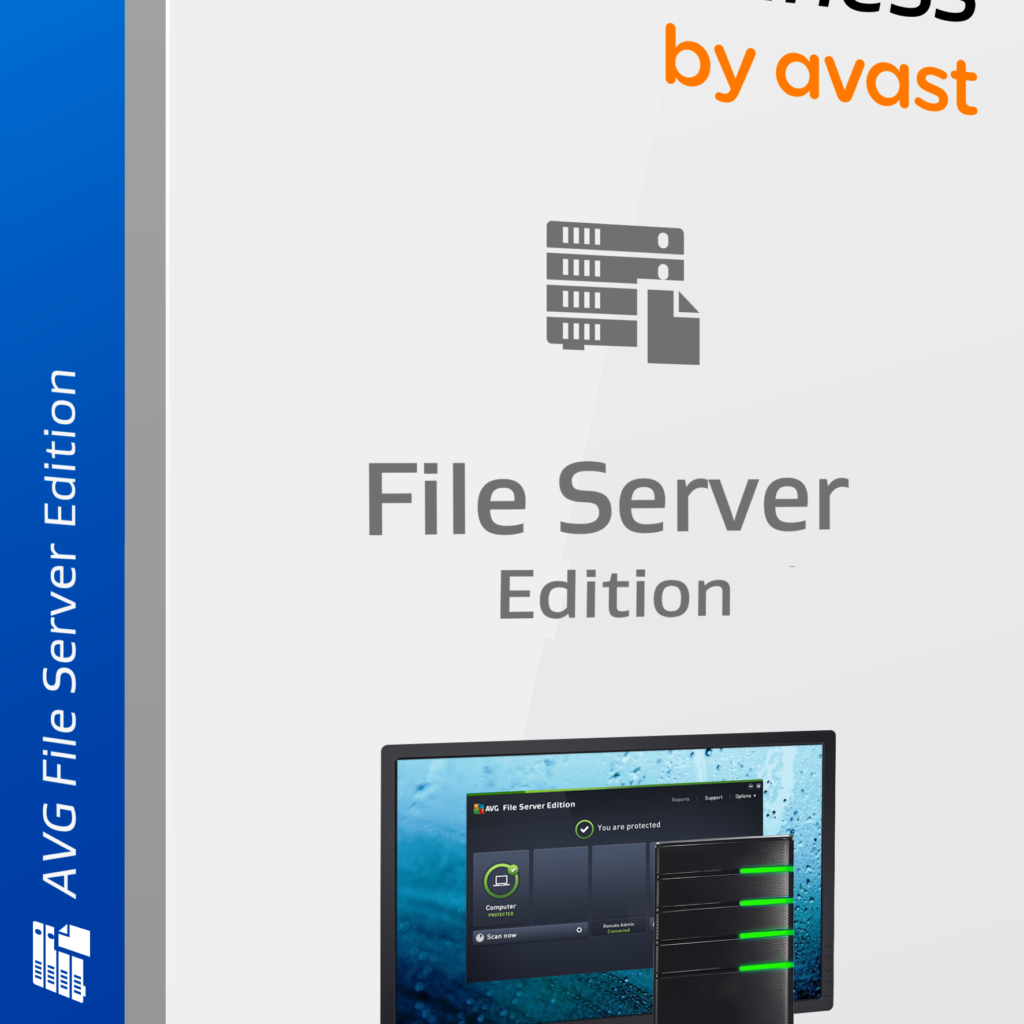
AVG File Server Business Edition(1-200CAL)

Why Every Business Needs AVG File Server Business Edition for Network Security

In today’s fast-paced digital landscape, businesses face constant threats from hackers and malware. Cybercriminals are always searching for vulnerabilities, particularly in business networks where sensitive data, such as customer information and internal documents, is stored. As cyber threats grow more sophisticated, ensuring your business’s network security is crucial. This is where AVG File Server Business Edition steps in.

AVG File Server Business Edition provides businesses with a powerful and comprehensive solution for protecting their files, data, and entire computer networks. With its advanced virus scanner, remote management capabilities, and automatic updates, this security solution is designed to give you peace of mind while keeping your operations running smoothly.

Protecting Files and Business Data

One of the greatest risks businesses face today is unauthorized access to sensitive data. Hackers can exploit weak points in your network to steal valuable information or hold your data for ransom. AVG File Server Business Edition ensures that your files and business data are shielded from these threats.

  • Network Antivirus Scanner: This feature scans your network and file servers, ensuring that any suspicious activity is identified and neutralized before it can cause damage. By continuously monitoring your network, it helps keep your data private and out of the hands of cybercriminals.
  • Real-Time Protection: AVG’s virus scanner works in real-time, meaning it constantly scans for threats and immediately acts to protect your business from malware, ransomware, and other cyberattacks.

Advanced Scanning Engine: Faster and Smarter

AVG File Server Business Edition is equipped with a new, more advanced scanning engine that allows for faster and more efficient scanning. One of the unique aspects of this engine is its ability to scan only when your system is idle, so it never interferes with your work.

  • Non-Disruptive Scanning: The scanning engine is designed to work in the background without slowing down your operations. It automatically scans when you’re not using the system, allowing your team to focus on their tasks without performance interruptions.
  • Proactive Threat Detection: With this advanced scanning engine, threats are detected and eliminated before they can spread, ensuring your business is always ahead of potential attacks.

Centralized Control with Remote Management

Managing security across multiple devices in a business environment can be time-consuming. With AVG File Server Business Edition, your IT administrator can manage security for your entire network from a single location, reducing complexity and ensuring uniform protection across all devices.

  • Remote Installation and Updates: AVG File Server Business Edition allows your administrator to remotely install, update, and configure the software across your network. This means you don’t need to manually manage security on each device—everything can be handled from one central location.
  • Automated Updates: The software automatically updates itself, ensuring your business is always protected against the latest threats without the need for manual intervention. This saves time and ensures that your system is consistently up to date.

Why Your Business Can’t Afford to Ignore Network Security

In a world where data breaches and cyberattacks are becoming more frequent, the cost of not securing your network can be devastating. From lost customer trust to potential legal and financial penalties, the risks are too high to ignore. With AVG File Server Business Edition, you get a robust solution that not only safeguards your network but also gives you the tools to manage and control your security infrastructure efficiently.

Final Thoughts

AVG File Server Business Edition offers the ultimate protection for your business’s network security needs. Its powerful virus scanner, advanced scanning engine, and remote management capabilities provide a comprehensive defense against hackers, malware, and other cyber threats. By investing in the right security solution, you can focus on growing your business, knowing your data and operations are fully protected.

Looking for a reliable solution to safeguard your business? Click here to get AVG File Server Business Edition and secure your network today!