Network-Management-Tool

5 Powerful Network Management Tools That Boost Performance

 Why Network Management Matter

In 2025, businesses rely more than ever on seamless connectivity and reliable IT infrastructure. A single network downtime can cost companies thousands of dollars in lost productivity, delayed operations, and frustrated clients. That’s why network management tools have become indispensable for modern businesses.

Network management tools allow IT administrators to monitor, control, and optimize their network performance. From bandwidth allocation to security monitoring, these tools help businesses maintain smooth operations, prevent downtime, and strengthen security.

In this article, we’ll explore the 5 most powerful network management tools that can boost your business performance, highlight their key features, explain how to implement them effectively, and showcase their benefits — all available through Buy Software Hub, your trusted provider of enterprise-grade solutions.

1. SolarWinds Network Performance Monitor

SolarWinds is a market-leading solution for businesses of all sizes. It offers real-time monitoring, automated alerts, and in-depth analytics to keep your network running at peak performance.

Key Features:

  • Bandwidth and traffic analysis
  • Automated fault detection and alerts
  • Visual dashboards and reporting
  • Scalability for multiple sites and devices

SolarWinds is perfect for businesses that need a comprehensive view of network health and want to quickly identify bottlenecks or potential issues.

💬 CTA: Boost your network reliability today! Explore SolarWinds Network Performance Monitor at Buy Software Hub for fully licensed business deployment.

2. Cisco Meraki Dashboard

Cisco Meraki offers a cloud-based network management platform that combines security, monitoring, and configuration in a single interface. Its simplicity and robust analytics make it a favorite among IT teams.

Key Features:

  • Cloud-managed network devices (routers, switches, access points)
  • Detailed traffic analytics and application monitoring
  • Seamless integration with mobile and remote workers
  • Automatic firmware updates and security patches

Meraki is ideal for businesses with remote or hybrid teams, ensuring that all users enjoy fast, secure connections.

3. Nagios XI

Nagios is a powerful open-source network monitoring tool tailored for businesses that need customizable monitoring solutions. It helps IT admins identify, troubleshoot, and prevent network issues before they impact operations.

Key Features:

  • Server, switch, and application monitoring
  • Custom alerts and dashboards
  • Historical reporting for trend analysis
  • Integration with third-party plugins

Nagios is perfect for companies that want granular control over their network infrastructure and enjoy scalable, flexible monitoring.

4. Paessler PRTG Network Monitor

PRTG is an all-in-one monitoring solution that tracks network performance, bandwidth usage, and system health. Its user-friendly interface and advanced alert system make it an excellent choice for businesses of any size.

Key Features:

  • Bandwidth, uptime, and application monitoring
  • Automatic device discovery and sensor setup
  • Customizable dashboards and notifications
  • Multi-site and cloud network monitoring

PRTG allows IT teams to proactively manage their network, reduce downtime, and maintain productivity.

💬 CTA: Ensure your network performs at its best. Get PRTG Network Monitor through Buy Software Hub today and enjoy enterprise-grade monitoring at competitive pricing.

5. ManageEngine OpManager

ManageEngine OpManager is a holistic network monitoring solution that provides visibility into your entire IT infrastructure, including servers, switches, routers, and virtual machines.

Key Features:

  • Real-time network performance monitoring
  • Network configuration and fault management
  • Automatic alerts and reporting
  • Virtualization and cloud monitoring

OpManager is perfect for businesses looking for end-to-end network oversight, ensuring operational continuity and improved IT efficiency.

How to Implement Network Management Tools

Implementing a network management tool requires a strategic approach to maximize benefits:

  1. Assess Your Network Needs
  • Identify devices, servers, and applications that need monitoring.
  • Determine traffic loads and critical points in your infrastructure.
  1. Select the Right Tool
  • Choose a solution that matches your business size and IT expertise.
  • Consider scalability, cloud integration, and reporting features.
  1. Deploy & Configure
  • Install software on servers or cloud platforms as needed.
  • Set up alerts, monitoring policies, and dashboards for IT staff.
  1. Train Your Team
  • Ensure your IT staff knows how to read analytics, respond to alerts, and generate reports.
  • Regularly update policies to adapt to new network devices or expansions.
  1. Continuous Monitoring & Optimization
  • Regularly review network logs and analytics.
  • Adjust configurations and bandwidth allocations to optimize performance.

Benefits of Network Management Tools

Using enterprise-grade network management tools provides multiple tangible benefits for businesses:

  • Improved Network Performance – Detect and eliminate bottlenecks for faster connectivity.
  • Reduced Downtime – Proactively prevent issues before they affect operations.
  • Enhanced Security – Monitor suspicious activity and unauthorized access attempts.
  • Cost Savings – Optimize bandwidth usage and prevent unnecessary hardware or upgrades.
  • Simplified IT Management – Centralized dashboards make it easy for IT teams to manage complex networks.

With the right tool, your IT department spends less time firefighting issues and more time driving business growth.

Conclusion

Efficient network management is no longer optional — it’s a business-critical component of modern operations. Tools like SolarWinds, Cisco Meraki, Nagios, PRTG, and ManageEngine OpManager offer scalable, robust solutions that help businesses maintain secure, high-performing networks.

Investing in licensed, enterprise-grade network management software ensures your infrastructure stays reliable, efficient, and prepared for future growth.

💻 Don’t wait for network downtime to impact your business.

Choose Buy Software Hub today to explore these top-tier network management tools, get licensed software, and receive expert guidance on installation and configuration.

Optimize your network, boost performance, and safeguard your operations — starting today!

SolarWinds-vs-PRTG-

How SolarWinds and PRTG Keep Your Network Running 24/7

Introduction

In today’s hyper-connected business world, network downtime is more than just an inconvenience — it’s a direct hit to productivity, revenue, and customer trust. Whether you manage a small office or a multinational IT infrastructure, ensuring continuous network performance is critical.

Enter network monitoring tools like SolarWinds and PRTG Network Monitor. These platforms provide businesses with real-time insights, automated alerts, and detailed analytics, allowing IT teams to prevent outages, optimize performance, and maintain a secure, stable environment around the clock.

In this guide, we’ll explore how these industry-leading tools keep your network running 24/7, explain how to implement them effectively, and highlight the tangible benefits they deliver.

Understanding Network Monitoring

Network monitoring is the practice of tracking the health, performance, and security of your IT infrastructure. It involves continuously analyzing routers, switches, servers, cloud systems, and endpoints to detect problems before they escalate.

Without a proper monitoring system, businesses risk:

  • Unexpected downtime affecting employees and clients
  • Slow network performance that reduces productivity
  • Data loss or security breaches due to unnoticed vulnerabilities

Tools like SolarWinds and PRTG address these challenges by giving IT administrators a centralized view of the network, combined with intelligent automation and proactive alerts.

 SolarWinds: Enterprise-Level Network Intelligence

SolarWinds is a comprehensive network monitoring platform widely trusted by IT teams for its scalability and depth of features.

Key Features:

  • Real-Time Network Performance Monitoring: Tracks bandwidth usage, server load, and application performance.
  • Automated Alerts & Notifications: Sends instant alerts for latency, downtime, or unusual activity.
  • Customizable Dashboards: Provides IT teams with clear visuals of network health across all devices.
  • Root Cause Analysis: Quickly identifies and resolves the underlying causes of network issues.
  • Security & Compliance Tracking: Detects potential vulnerabilities and ensures adherence to IT policies.

💬 CTA: Experience SolarWinds’ advanced monitoring capabilities. Protect your network with industry-leading software available at Buy Software Hub.

How SolarWinds Helps Businesses:

SolarWinds is particularly effective for large enterprises with complex networks. By providing predictive analytics and automated reporting, IT teams can reduce downtime, optimize resource allocation, and make data-driven decisions about infrastructure upgrades.

 PRTG Network Monitor: All-in-One Visibility

PRTG is a versatile, user-friendly monitoring tool suited for small to medium businesses, although it scales well for larger environments too.

Key Features:

  • Bandwidth & Traffic Analysis: Monitors network load in real time to prevent congestion.
  • Uptime Monitoring: Tracks the status of servers, switches, and applications 24/7.
  • Custom Alerts & Thresholds: Notifies IT staff immediately when metrics exceed defined limits.
  • Sensor-Based Architecture: Each device or service can be monitored via individual “sensors” for granular visibility.
  • Flexible Deployment: Offers both cloud-based and on-premises monitoring options.

💬 CTA: Secure your network with PRTG’s intuitive monitoring platform. Check licensing options and setup support at Buy Software Hub.

PRTG’s modular sensor-based approach allows businesses to focus on critical systems first, ensuring uptime for the most essential applications while gradually expanding coverage as the network grows.

 How to Implement SolarWinds and PRTG

Implementing network monitoring tools doesn’t have to be complicated. Here’s a step-by-step approach to maximize value:

1. Assess Your Network Infrastructure

Identify all devices, servers, and applications that require monitoring. This ensures no critical systems are left unprotected.

2. Choose the Right Tool for Your Needs

  • Large enterprises or multi-branch setups → SolarWinds
  • SMEs or smaller networks → PRTG

3. Deploy and Configure

  • Install the software on a dedicated server or in the cloud.
  • Configure sensors, thresholds, and alerts based on your operational requirements.

4. Set Up Dashboards and Reporting

Customize dashboards for real-time visibility. Schedule automated reports for executive teams to track performance trends and KPIs.

5. Integrate Security Measures

Ensure the monitoring system is integrated with firewalls, endpoint protection, and antivirus solutions for end-to-end security.

6. Train IT Staff

Educate your IT team on alert handling, incident response, and optimization tips for better performance and uptime.

💬 CTA: Let Buy Software Hub assist you in deploying SolarWinds or PRTG. We offer full installation, configuration, and ongoing support to ensure your network runs flawlessly.

 Benefits of Continuous Network Monitoring

Investing in SolarWinds or PRTG delivers tangible advantages for your business:

1. 24/7 Network Uptime

Monitoring alerts IT teams to potential issues before they cause downtime, keeping business operations smooth.

2. Proactive Issue Resolution

Detect bottlenecks, failed hardware, or bandwidth spikes early — reducing service interruptions.

3. Enhanced Security Posture

Track unusual activity, monitor device access, and integrate with antivirus software to reduce vulnerabilities.

4. Data-Driven Decision Making

Comprehensive reports and analytics allow IT teams to make informed decisions about infrastructure scaling, software updates, and hardware investments.

5. Cost Efficiency

Preventing downtime and reducing manual troubleshooting saves money and protects revenue streams.

6. Improved Employee Productivity

A stable, fast network ensures employees can focus on their work without tech interruptions.

 Conclusion

A business’s network is its digital backbone. Without real-time monitoring, even minor issues can escalate into major disruptions. Tools like SolarWinds and PRTG provide the intelligence, automation, and visibility necessary to keep networks running 24/7.

From large enterprises requiring predictive analytics to SMEs needing a simple, intuitive platform, these solutions ensure continuous performance, security, and efficiency.

Don’t wait for downtime to strike. Protect your business network today:

Get genuine licenses for SolarWinds and PRTG
Expert installation and configuration
24/7 monitoring and support
Customizable dashboards and reports

Trust Buy Software Hub to secure your network with the best monitoring solutions available — and experience true peace of mind knowing your business is always connected and fully protected.

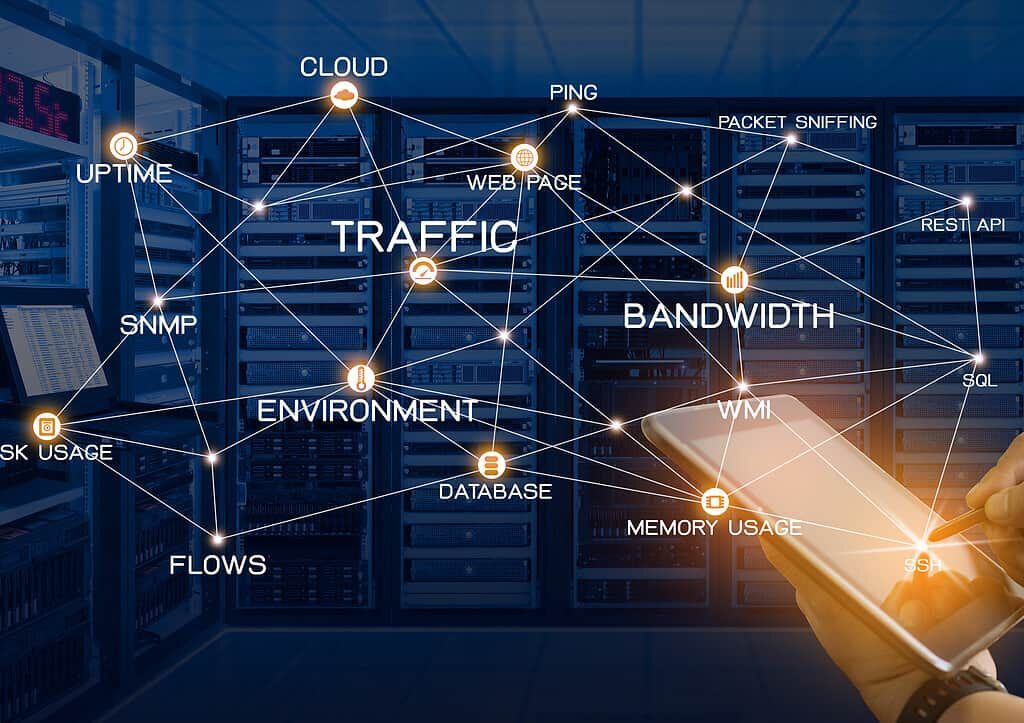
network-monitoringjpg

🌐 Why Network Monitoring Is the Secret to IT Success in 2025

The Hidden Engine Behind Business IT

In 2025, businesses rely more than ever on digital infrastructure to operate, communicate, and grow. From cloud applications to remote desktops, every connection and system plays a critical role. Yet, many companies overlook one of the most crucial pillars of IT success: network monitoring.

Network monitoring is the continuous observation of a company’s network for performance, security, and operational issues. Think of it as a digital health check-up that ensures your infrastructure is running smoothly and securely — before small glitches become business-breaking disasters.

Proper network monitoring allows IT teams to detect problems proactively, optimize performance, and secure data, making it a secret weapon for business efficiency and resilience.

💬 CTA: Ensure your network operates flawlessly. Explore network monitoring solutions at Buy Software Hub today!

🧩 What Network Monitoring Entails

At its core, network monitoring tracks devices, traffic, applications, and endpoints within a network. It provides actionable insights into performance, uptime, and security.

Key Components of Network Monitoring:

  1. Real-Time Traffic Analysis

    • Monitors data packets traveling across your network

    • Detects bottlenecks, unauthorized access, and unusual activity

  2. Device & Endpoint Monitoring

    • Tracks servers, switches, routers, and employee devices

    • Alerts IT teams if a device goes offline or behaves abnormally

  3. Application Performance Monitoring (APM)

    • Measures response times, uptime, and reliability of critical applications

    • Helps optimize cloud-based tools and business software

  4. Security Monitoring

    • Detects intrusion attempts, malware activity, and ransomware signals

    • Integrates with firewalls, antivirus, and endpoint protection for layered defense

  5. Automated Alerts & Reporting

    • Sends notifications to IT teams for anomalies or failures

    • Generates reports for performance reviews, compliance, and capacity planning

Why This Matters in 2025

As hybrid work, cloud apps, and IoT devices expand, network complexity grows exponentially. Without monitoring, downtime, cyber threats, and data loss can silently cripple operations. Network monitoring is no longer optional — it’s critical to business continuity.

💬 CTA: Protect your infrastructure and gain real-time insights with network monitoring tools from Buy Software Hub.

⚙️ How to Use and Implement Network Monitoring

Implementing network monitoring doesn’t have to be overwhelming. Here’s a practical roadmap for businesses of any size:

Step 1: Identify Critical Assets

  • Map out all devices, servers, and applications that keep your business running.

  • Prioritize monitoring for high-value assets and sensitive data flows.

Step 2: Choose the Right Network Monitoring Tool

  • Key vendors to consider: SolarWinds, Cisco Meraki, Nagios, Paessler PRTG

  • Evaluate features: traffic analysis, real-time alerts, cloud integration, and scalability.

Step 3: Configure Alerts and Thresholds

  • Set performance baselines for your network

  • Define thresholds for bandwidth, latency, and device health

  • Ensure IT teams receive instant alerts for deviations

Step 4: Centralize Management

  • Use a unified dashboard to monitor your entire network

  • Incorporate remote endpoints and cloud infrastructure for holistic oversight

Step 5: Analyze and Act

  • Review reports to identify trends and recurring issues

  • Address performance bottlenecks, security gaps, and network inefficiencies

  • Adjust bandwidth allocation, firewall rules, and access permissions as needed

Step 6: Continuous Optimization

  • Update monitoring policies as your network grows

  • Integrate with other IT tools: antivirus, endpoint management, and backup systems

💬 CTA: Discover network monitoring solutions that simplify setup and give real-time visibility. Get started with Buy Software Hub today!

💡 Benefits of Network Monitoring for Businesses

  1. Proactive Problem Detection

    • Catch issues before they disrupt operations

    • Reduce downtime and prevent cascading failures

  2. Enhanced Security

    • Identify malware, ransomware, and unauthorized access

    • Integrates seamlessly with antivirus and firewall solutions

  3. Improved Performance & Efficiency

    • Detect bandwidth hogs and latency issues

    • Optimize application and network performance for employees and clients

  4. Cost Savings

    • Prevent expensive emergency repairs or system replacements

    • Extend the lifespan of network hardware and software

  5. Regulatory Compliance

    • Maintain audit trails and reporting for GDPR, HIPAA, or ISO standards

    • Demonstrate robust IT governance to stakeholders

  6. Remote Management & Scalability

    • Monitor devices across multiple offices or remote employees

    • Scale effortlessly as your business grows or adopts cloud infrastructure

  7. Data-Driven Decision Making

    • Reports provide insights for capacity planning, upgrades, and IT strategy

    • Helps IT teams make informed, cost-effective choices

🔍 Common Challenges and How to Overcome Them

While network monitoring is powerful, businesses often face challenges:

  • Alert Overload: Too many notifications can overwhelm IT staff.
    Solution: Configure thresholds and prioritize alerts for critical issues.

  • Integration Complexity: Multiple vendors and systems may not sync.
    Solution: Choose monitoring tools that integrate with existing IT infrastructure.

  • Resource Constraints: Small IT teams may struggle with 24/7 monitoring.
    Solution: Cloud-based monitoring platforms and managed services reduce overhead.

🚀 Conclusion: Why 2025 Is the Year to Prioritize Network Monitoring

In today’s fast-paced, digital-first world, network downtime or a security breach can cost businesses thousands or even millions in lost revenue and reputation. Network monitoring is your shield, early-warning system, and efficiency booster all in one.

By investing in the right monitoring tools and integrating them into your IT strategy, you can proactively prevent problems, strengthen security, and maximize operational performance.

Network monitoring is not just a technical requirement — it’s a business advantage, giving your team the visibility and control to make smarter, faster decisions.

🔐 Call to Action

💻 Don’t let hidden network issues slow your business down.

At Buy Software Hub, we offer trusted network monitoring solutions from:

  • SolarWinds

  • Cisco Meraki

  • Nagios

  • Paessler PRTG

✅ Get real-time insights, centralized management, and robust security features.
✅ Setup support and expert guidance for businesses of all sizes.
✅ Cloud-based and on-premise options for flexibility and scalability.

Start monitoring your network today and ensure your IT infrastructure is secure, efficient, and future-ready.

Explore Network Monitoring Solutions Now at Buy Software Hub

🕶️ The 2025 Cyber Threat Landscape – What Businesses Must Prepare For

🕶️ The Cyber Threat Landscape – What Businesses Must Prepare For

🔍 Introduction: The Urgent Reality of Cyber Threats

In the digital ecosystem is more complex — and riskier — than ever. Cybercriminals are not just opportunists; they are sophisticated, AI-enabled, and globally coordinated. For businesses of all sizes, the stakes are high: data breaches, ransomware attacks, and system downtimes can cost millions in revenue and irreparable reputational damage.

Understanding the evolving cyber threat landscape is the first step toward safeguarding your business. Companies can no longer rely on generic antivirus software or outdated security protocols. Today’s threats demand proactive, multi-layered security solutions designed for modern IT infrastructures.

In this guide, we’ll explore the key cyber threats, how businesses can prepare, and how trusted solutions from Buy Software Hub can fortify your organization against attacks.

🧩 Key Cyber Threats Businesses Face

Cybercrime continues to evolve at lightning speed. Here are the most pressing threats businesses need to be aware of this year:

1. Ransomware Evolution

Ransomware attacks have grown increasingly sophisticated, targeting cloud infrastructure and hybrid systems. Attackers now deploy AI-driven encryption methods, making detection more difficult. Businesses that delay security updates or use unlicensed software are prime targets.

2. AI-Powered Phishing & Social Engineering

Gone are the days of poorly written spam emails. Modern phishing attempts use AI to mimic human communication, making fraudulent emails, chat messages, and calls nearly indistinguishable from legitimate interactions.

3. Supply Chain Vulnerabilities

Businesses increasingly rely on third-party vendors and SaaS platforms. Compromised suppliers can introduce malware or ransomware into your systems without direct contact, making supply chain security a critical concern.

4. Insider Threats

Even well-trained employees can pose a risk. Malicious insiders, careless staff, or compromised credentials can lead to data leaks, fraud, and operational disruption.

5. IoT & Remote Work Exploits

As IoT devices proliferate and remote work remains common, unsecured networks become gateways for cyberattacks. Attackers can exploit weak devices, unprotected home networks, and outdated protocols to gain access to business systems.

💬 CTA: Don’t wait until it’s too late. Protect your business from cyber threats today with enterprise-grade antivirus and security solutions from Buy Software Hub.

⚙️ How Businesses Can Prepare

Mitigating cyber risks in requires a multi-layered approach combining technology, policies, and employee awareness. Here’s a step-by-step preparation guide:

Step 1: Conduct a Comprehensive Risk Assessment

Identify your critical assets, such as customer data, financial records, and intellectual property. Map potential vulnerabilities, including endpoints, cloud storage, and third-party integrations.

Step 2: Deploy Enterprise-Grade Antivirus & Security Software

Install licensed antivirus solutions from trusted vendors like Kaspersky, AVG, Bitdefender, or Norton. Focus on features like:

  • Real-time threat detection 
  • AI-powered malware prevention 
  • Endpoint protection for remote employees 
  • Ransomware shields and cloud monitoring 

Step 3: Implement Multi-Factor Authentication (MFA)

Secure all logins with MFA. Even if passwords are stolen, an additional verification layer can prevent unauthorized access.

Step 4: Establish Cybersecurity Policies & Training

Educate employees on:

  • Recognizing phishing attempts 
  • Safe remote work practices 
  • Data handling protocols 

Step 5: Regular Backups & Business Continuity Planning

Use cloud-based remote backup solutions and develop a Business Continuity Plan (BCP). This ensures minimal disruption in case of ransomware attacks or system failures.

Step 6: Continuous Monitoring & Threat Intelligence

Leverage software that provides real-time monitoring, automated alerts, and threat intelligence analytics. Being proactive is far more effective than reactive incident response.

💬 CTA: Secure your endpoints and networks now. Explore Buy Software Hub’s suite of licensed antivirus and cybersecurity solutions tailored for businesses of all sizes.

💡 Benefits of Preparing for Cyber Threats

Investing in robust cybersecurity strategies and solutions brings tangible benefits:

Business Continuity: Prevent downtime caused by ransomware, malware, or network breaches.
Data Protection: Safeguard sensitive client, financial, and intellectual property data.
Regulatory Compliance: Stay aligned with GDPR, HIPAA, and ISO cybersecurity standards.
Cost Savings: Reduce potential costs associated with data breaches, fines, and reputational loss.
Employee Confidence: A secure work environment increases productivity and trust.
Future-Ready Infrastructure: Prepare for emerging threats like AI-powered attacks and advanced persistent threats (APTs).

🧰 Implementing Cybersecurity Solutions: Practical Tips

  1. Choose a Centralized Management Platform – Monitor and update all endpoints from a single console. 
  2. Prioritize Cloud Security – Hybrid cloud environments must be secured with encryption and threat monitoring. 
  3. Integrate Network Management Tools – Bandwidth control, firewall management, and intrusion detection are key layers. 
  4. Regularly Audit & Test Security Protocols – Conduct internal simulations and penetration testing to identify vulnerabilities. 
  5. Stay Updated – Ensure your antivirus, operating systems, and software applications are always patched. 

By combining these practices with licensed solutions from Buy Software Hub, businesses can establish a proactive, layered defense that mitigates risk in real-time.

🚀 Conclusion

The 2025 cyber threat landscape is dynamic, complex, and high-stakes. Businesses cannot afford to rely on outdated protection or ignore evolving attack vectors. From ransomware to AI-driven phishing, the threats are real — but with the right strategy, licensed antivirus software, and proactive policies, organizations can defend themselves and thrive securely.

Cybersecurity is no longer optional. It’s a strategic advantage — the difference between operational continuity and catastrophic disruption.

🔐 Call to Action

💻 Take control of your cybersecurity today.

With Buy Software Hub, you gain access to:

  • 100% licensed antivirus and endpoint protection (Kaspersky, AVG, Bitdefender, Norton) 
  • Remote backup and business continuity solutions 
  • Network management tools for secure, optimized performance 
  • Expert installation, support, and guidance 

Protect your business from evolving cyber threats. Visit Buy Software Hub and secure your digital future now.

case study

📈 Case Study: How a Small Business Stopped a Major Cyber Attack

Cyberattacks are no longer the exclusive concern of large corporations — small businesses are increasingly targeted. In fact, 43% of cyberattacks in 2025 are aimed at small and medium-sized enterprises (SMEs). These attacks can cripple operations, steal sensitive data, and damage customer trust.

This case study explores how BrightWave Marketing, a small digital agency, successfully thwarted a major cyberattack in 2025 using licensed antivirus and cybersecurity solutions from Buy Software Hub. Their story demonstrates that with the right tools and strategy, even small businesses can defend against sophisticated threats.

🧩 The Challenge: A Sudden Threat

BrightWave Marketing, with just 15 employees, primarily relied on cloud collaboration tools and client databases for daily operations. One morning, they noticed unusual network activity:

  • Multiple unauthorized login attempts 
  • Suspicious file encryption on employee devices 
  • Phishing emails bypassing standard filters 

The team quickly realized they were under a ransomware attack, which could encrypt all client files and halt operations. With projects in progress and sensitive client data at risk, time was critical.

⚠️ CTA: Don’t wait until it’s too late! Secure your business against ransomware with licensed antivirus solutions from Buy Software Hub.

⚡ The Solution: Licensed Cybersecurity Tools in Action

BrightWave worked with Buy Software Hub to implement a multi-layered defense strategy. The solution included:

1. Kaspersky Endpoint Security Cloud Plus

  • Real-time monitoring of all devices 
  • AI-driven detection of malware and ransomware 
  • Automated device isolation to prevent spread 

2. AVG Business Security Cloud Edition

  • Anti-phishing protection for emails 
  • Cloud management console for centralized control 
  • Behavior-based detection to catch unknown threats 

3. Employee Training & Security Protocols

  • Phishing awareness workshops 
  • Enforced password policies 
  • Multi-factor authentication for critical systems 

Within hours, the combination of licensed software, centralized monitoring, and staff awareness neutralized the threat before any client data was compromised.

🛠️ How They Implemented the Protection

The implementation process was straightforward but strategic:

Step 1: Assess the Network

BrightWave conducted a full audit of their systems, identifying vulnerable endpoints and legacy software that could be exploited.

Step 2: Deploy Antivirus Across Devices

Using the cloud console, Buy Software Hub assisted in installing Kaspersky and AVG on all laptops, desktops, and servers. Automatic updates were enabled to ensure real-time protection.

Step 3: Configure Threat Response Policies

  • Devices with suspicious activity were automatically quarantined 
  • Email filters were enhanced to block phishing links 
  • Scheduled scans were set for all endpoints during off-hours 

Step 4: Train Employees

A quick training session showed staff how to spot phishing emails, avoid suspicious downloads, and report potential threats immediately.

Step 5: Continuous Monitoring

Centralized dashboards allowed BrightWave’s IT admin to track threats in real time and generate reports for compliance audits.

💬 CTA: Learn how your business can implement the same proactive security measures with expert guidance from Buy Software Hub.

💡 Benefits Realized

The impact of implementing licensed cybersecurity tools and protocols was immediate and measurable:

1. Ransomware Prevented

No client files were encrypted, and the attack was fully neutralized within hours.

2. Business Continuity Maintained

Projects continued without downtime, preserving client trust and revenue streams.

3. Increased Employee Awareness

Staff became vigilant against phishing, reducing the risk of human error in future attacks.

4. Centralized Security Management

IT administrators could now monitor all devices in one dashboard, simplifying compliance reporting.

5. Cost Savings

Avoided potential losses from ransom payments, downtime, and client compensation — demonstrating a clear ROI for licensed antivirus investment.

📈 Lessons Learned: Why Small Businesses Can’t Ignore Cybersecurity

  1. Small Businesses Are Prime Targets – Hackers know SMEs often have weaker defenses. 
  2. Proactive Measures Save Money – Investing in licensed antivirus is far cheaper than paying for recovery after an attack. 
  3. Employee Training is Crucial – Technology alone isn’t enough; human awareness completes the defense. 
  4. Centralized Monitoring is Key – Being able to see all endpoints and respond quickly prevents attacks from spreading. 

BrightWave’s experience proves that with proper planning, even a small team can implement enterprise-level security.

🔐 Conclusion

Cyberattacks don’t discriminate by business size. However, small businesses like BrightWave Marketing can successfully prevent major breaches by using licensed antivirus solutions, proper policies, and employee training.

2025 is a year where cybersecurity should be treated as a core business function, not just an IT responsibility. By adopting a proactive, layered approach, your business can stay protected, maintain client trust, and avoid costly downtime.

🚀 Call to Action

Protect your business like BrightWave did.

✅ Get licensed antivirus software from Kaspersky, AVG, Bitdefender, and more
✅ Implement centralized monitoring and threat management
✅ Train your employees in cyber hygiene and phishing awareness

💻 Visit Buy Software Hub today to secure your small business against cyberattacks and maintain uninterrupted operations in 2025 and beyond.

multi layers security

🧰 Multi-Layered Protection: How to Build a Cybersecurity Fortress

🔍 Why Multi-Layered Cybersecurity Is a Must in 2025

In today’s digital landscape, cyber threats are no longer isolated attacks — they’re sophisticated, coordinated, and relentless. From ransomware to phishing scams and insider threats, businesses face attacks from every angle. A single security layer is no longer sufficient; your organization needs a multi-layered cybersecurity strategy.

Think of it as building a fortress: the stronger and more layered the defenses, the less likely attackers are to breach your walls. Multi-layered protection combines antivirus, firewalls, endpoint security, email and network monitoring, and employee training — creating a holistic shield for your business operations.

At Buy Software Hub, we specialize in providing genuine, licensed security software that forms the backbone of these multi-layered defenses.

🛡️ Understanding Multi-Layered Cybersecurity

A multi-layered cybersecurity approach is all about defense in depth. Each layer works independently but also complements the others. Let’s break down the critical layers every business should implement:

1. Antivirus and Endpoint Protection

Antivirus software is your first line of defense, protecting desktops, laptops, and servers from malware, ransomware, and other threats. Modern endpoint protection goes beyond traditional scanning:

  • AI-driven real-time threat detection

  • Behavioral monitoring to catch zero-day attacks

  • Automated quarantine of suspicious files

💬 CTA: Protect your endpoints today with Kaspersky or AVG business licenses from Buy Software Hub — trusted by businesses worldwide.

2. Firewalls and Network Security

Firewalls act as digital gatekeepers, controlling traffic between internal systems and external networks. Advanced business firewalls:

  • Block unauthorized access

  • Monitor network traffic for anomalies

  • Integrate with endpoint software for holistic monitoring

Network management tools from brands like SolarWinds or Cisco Meraki, available at Buy Software Hub, help businesses proactively detect and neutralize threats before they cause damage.

3. Email and Web Security

Phishing attacks remain the top entry point for cybercriminals. Multi-layered protection requires:

  • Email filtering to detect suspicious attachments and links

  • Web filtering to block malicious websites

  • Real-time threat alerts

Solutions from AVG, Kaspersky, and Norton provide enterprise-grade email and web protection to keep employees and clients safe.

4. Data Encryption and Remote Backup

Data is your most valuable asset. Multi-layered security ensures that even if a breach occurs, your information remains protected:

  • Encryption: Secures sensitive files during storage and transit

  • Remote Backup: Cloud-based backups from providers like Acronis or Veeam ensure rapid recovery after incidents

💬 CTA: Safeguard your critical data today with Buy Software Hub’s remote backup solutions — secure, automated, and reliable.

5. Employee Awareness and Training

Even the best software can’t prevent human error. Regular training empowers employees to:

  • Identify phishing emails and scams

  • Use secure passwords and multi-factor authentication

  • Report suspicious activity promptly

Cybersecurity is only as strong as its weakest link — and often, that’s human behavior.

6. Continuous Monitoring and Threat Intelligence

A multi-layered defense is not “set it and forget it.” Continuous monitoring:

  • Detects anomalies in real-time

  • Provides insights into attack patterns

  • Supports proactive defense measures

Cloud-based dashboards and security analytics tools help IT teams manage threats efficiently, ensuring rapid response to any incident.

⚙️ How to Implement Multi-Layered Protection in Your Business

Step 1: Assess Risks and Requirements

Conduct a comprehensive cybersecurity audit to identify:

  • Number of endpoints and servers

  • Sensitive data locations

  • Potential attack vectors

Step 2: Choose Licensed, Enterprise-Grade Security Tools

Select solutions that integrate well:

  • Antivirus & endpoint protection: Kaspersky, AVG, Bitdefender

  • Firewalls and network tools: SolarWinds, Cisco Meraki

  • Backup & recovery: Acronis, Veeam

  • Collaboration & remote tools: Microsoft Teams, AnyDesk, TeamViewer

Step 3: Deploy and Configure

Install antivirus across all devices, configure firewalls, and set up email and web security rules. Automate updates wherever possible to minimize vulnerabilities.

Step 4: Train Employees

Run cybersecurity awareness programs and enforce policies such as strong passwords, 2FA, and reporting protocols.

Step 5: Monitor and Review

Use dashboards to track threats, scan reports, and system health. Schedule quarterly audits to identify gaps and improve defenses.

💡 Benefits of Multi-Layered Cybersecurity

  • 🔒 Comprehensive Protection: Multiple security layers reduce the chance of successful attacks.

  • Minimized Downtime: Quick detection and automated responses prevent operational disruption.

  • 📈 Compliance and Trust: Protect sensitive data to meet GDPR, HIPAA, or ISO standards.

  • 💸 Cost Efficiency: Preventing breaches saves millions compared to post-attack recovery.

  • 🧠 Employee Confidence: Staff feel secure and empowered to perform at their best.

Multi-layered cybersecurity transforms risk management from reactive to proactive — making businesses resilient against modern threats.

🔚 Conclusion

Building a cybersecurity fortress in 2025 requires more than just antivirus software. It’s about combining endpoint protection, firewalls, web and email security, encryption, backups, employee training, and continuous monitoring into a cohesive strategy.

Investing in multi-layered protection isn’t an expense — it’s a business-critical investment that safeguards your operations, reputation, and customer trust.

💬 CTA: Start building your cybersecurity fortress today with Buy Software Hub’s comprehensive security solutions. Licensed, reliable, and tailored for businesses of every size. Protect your data, protect your business.

cloud based antivirus

🌍 Cloud-Based Antivirus: Why Businesses Are Switching in 2025

In 2025, businesses face an increasingly complex digital landscape. Cyberattacks are more sophisticated, ransomware is growing in scale, and endpoint vulnerabilities are everywhere. Traditional on-premise antivirus solutions, while reliable, often struggle to keep pace with the dynamic threat environment.

This is why cloud-based antivirus solutions are becoming the go-to choice for businesses of all sizes. With cloud security, companies gain real-time threat detection, centralized management, and seamless scalability, all while reducing hardware costs and IT overhead.

In this guide, we’ll explore why businesses are making the switch to cloud-based antivirus, how to implement it effectively, and the tangible benefits your organization can gain.

🛡️ What is Cloud-Based Antivirus?

Cloud-based antivirus is a security solution where malware detection and updates are managed via the cloud, rather than locally on each device. This architecture allows IT teams to monitor endpoints, deploy updates, and respond to threats in real time — regardless of location.

Unlike traditional antivirus:

  • There’s no need for constant manual updates on every device.

  • Threat intelligence is updated instantly across all endpoints.

  • Remote workforces and multi-branch organizations can be secured from a single console.

Why Businesses Are Switching

  1. Remote & Hybrid Workforce Support
    Cloud-based antivirus works seamlessly for employees working from home, co-working spaces, or multiple office locations.

  2. Automatic Updates & Threat Intelligence
    With cyber threats evolving every day, cloud solutions provide continuous AI-driven protection without manual intervention.

  3. Lower IT Overhead
    Since processing and updates happen in the cloud, businesses spend less on local servers, maintenance, and software management.

💬 CTA: Protect your business from evolving threats. Explore licensed cloud-based antivirus solutions at Buy Software Hub today.

🌐 Key Features of Cloud-Based Antivirus

When selecting a cloud-based antivirus solution, look for the following features:

1. Real-Time Threat Detection

Cloud antivirus platforms use AI and machine learning to detect malware, ransomware, and phishing attempts as they occur.

2. Centralized Management Console

IT teams can monitor all devices, enforce security policies, and push updates from a single web-based dashboard.

3. Endpoint Security & Device Control

Admins can manage laptops, desktops, servers, and even mobile devices — restricting USB usage, preventing unauthorized software installation, and encrypting sensitive data.

4. Cloud Threat Intelligence

Advanced cloud antivirus solutions analyze data across millions of endpoints globally, identifying new threats faster than traditional solutions.

5. Integration & Compatibility

Cloud-based antivirus often integrates with firewalls, VPNs, and other enterprise software for a complete security ecosystem.

6. Scalable Licensing

Cloud solutions allow businesses to add or remove endpoints with ease, making it ideal for growing organizations or seasonal workforce changes.

💬 CTA: Switch to cloud-based antivirus with confidence. Browse Kaspersky, AVG, and Bitdefender cloud solutions at Buy Software Hub — fully licensed and enterprise-ready.

⚙️ How to Use and Implement Cloud-Based Antivirus

Implementing cloud-based antivirus doesn’t have to be complicated. Here’s a step-by-step guide:

Step 1: Assess Your Environment

Identify all endpoints, servers, and network-connected devices. Determine how many users will need access, including remote employees.

Step 2: Choose the Right Solution

Select a cloud antivirus vendor based on your business size, risk profile, and desired features. Consider options from Kaspersky, AVG, Norton, or Bitdefender.

Step 3: Deploy Centralized Management Console

Install the management console on a secure server or cloud instance. This will serve as your command center for monitoring and updating endpoints.

Step 4: Install Endpoint Agents

Deploy lightweight agents on all employee devices. These agents communicate with the cloud for real-time scanning, updates, and reporting.

Step 5: Configure Security Policies

Set up rules for malware scanning, firewall settings, USB device control, and web filtering. Tailor policies for different departments or user roles.

Step 6: Train Employees

Educate staff on phishing, suspicious downloads, and safe browsing. Even cloud-based antivirus requires human vigilance to be most effective.

Step 7: Monitor & Update

Use your centralized console to track threats, apply updates, and generate reports. Cloud antivirus often updates automatically, reducing IT workload.

💬 CTA: Let our experts at Buy Software Hub help implement your cloud antivirus solution — fast, secure, and fully licensed.

💡 Benefits of Cloud-Based Antivirus

Switching to cloud-based antivirus delivers measurable advantages:

1. Real-Time Protection

Threat intelligence is updated constantly, so malware, ransomware, and phishing attempts are blocked before they can damage your network.

2. Simplified IT Management

IT teams manage all devices through a single console, reducing manual updates and maintenance.

3. Cost Efficiency

No need to maintain on-premise servers or constantly update software manually — cloud antivirus saves both money and time.

4. Remote Workforce Security

Cloud-based solutions allow secure access for remote employees, ensuring business continuity even in a distributed work environment.

5. Scalability & Flexibility

Add or remove users as your company grows. Cloud-based antivirus scales seamlessly without disrupting operations.

6. Compliance Assurance

Many cloud antivirus solutions help businesses meet data protection and industry compliance requirements like GDPR, HIPAA, and ISO standards.

🔒 Conclusion

In 2025, businesses cannot afford to rely on traditional antivirus alone. Cloud-based antivirus offers smarter, faster, and more efficient protection against modern cyber threats. By integrating AI-powered threat detection, real-time updates, centralized management, and seamless scalability, cloud antivirus is redefining business security.

Whether your company is a small startup, a medium-sized enterprise, or a large multinational, the switch to cloud-based antivirus provides peace of mind, cost savings, and robust security.

🚀 Call to Action

💻 Secure your business today with cloud-based antivirus from Buy Software Hub!

  • 100% licensed solutions from top brands: Kaspersky, AVG, Bitdefender, Norton

  • Centralized, cloud-based management for remote and in-office teams

  • Expert setup, deployment, and ongoing support

  • Scalable licensing to match your growth

Visit Buy Software Hub to get started — protect your business from cyber threats in 2025 and beyond.

software-security-issues

🔔 10 Signs Your Current Security Software Is Failing You

Why Your Security Software Might Not Be Enough

In today’s digital landscape, cyber threats evolve faster than ever. Businesses face ransomware, phishing, malware, and sophisticated attacks that can compromise sensitive data, disrupt operations, and damage reputations. Many companies assume that simply having antivirus or security software is enough — but in reality, not all security software offers the protection your business truly needs.

Outdated or insufficient solutions can leave critical gaps, giving cybercriminals opportunities to exploit weaknesses in your network. Understanding the signs of failing security software is essential for staying ahead of threats and safeguarding your organization.

This guide outlines the top 10 warning signs that your current security setup may be failing, and how switching to a licensed, enterprise-grade solution from Buy Software Hub can help you regain control, confidence, and protection.

🧩 1. Frequent Security Alerts Without Resolution

Receiving constant pop-ups or alerts from your antivirus can indicate that threats are not being fully neutralized. If your software repeatedly detects malware but fails to quarantine or remove it, your system remains vulnerable.

💬 CTA: Upgrade to fully licensed antivirus solutions like Kaspersky or AVG from Buy Software Hub, which automatically detect and neutralize threats in real time.

🧩 2. Slow System Performance

While security software adds a layer of protection, it should not cripple your systems. Excessively slow computers, delayed startup times, or lagging applications can signal that your software is outdated or poorly optimized, allowing certain threats to bypass protection while consuming resources.

🧩 3. Lack of Real-Time Protection

Modern cyber threats act instantly. If your antivirus only scans on demand or relies on scheduled updates, it may miss emerging malware or ransomware attacks. Real-time monitoring and AI-driven detection are now essential to defend your network effectively.

🧩 4. Missed Threats and Infections

If your team experiences repeated infections despite running security software, this is a clear red flag. Legacy or unlicensed software often fails to detect new viruses, polymorphic malware, or sophisticated phishing attempts.

💬 CTA: Invest in enterprise-grade antivirus solutions from Buy Software Hub that offer cutting-edge detection algorithms, behavioral monitoring, and proactive threat intelligence.

🧩 5. No Centralized Management Console

As businesses grow, manually managing security on every endpoint becomes unmanageable. If your software lacks a centralized dashboard for monitoring and policy enforcement, it’s difficult to ensure every device is fully protected, increasing the risk of breaches.

🧩 6. Outdated Virus Definitions

Cybercriminals constantly develop new attack methods. Security software that doesn’t update automatically with the latest virus definitions leaves your business exposed. Signs of outdated software include missed malware alerts, incompatible features, and frequent patching errors.

🧩 7. Weak Ransomware and Phishing Protection

Ransomware and phishing are among the top threats for businesses in 2025. If your current software doesn’t include behavior-based detection, email filtering, or web protection, you may be at risk of data encryption attacks or credential theft.

🧩 8. Limited or No Support for Remote Teams

With remote work becoming standard, security software must extend protection beyond the office. Software that cannot manage endpoints offsite or lacks remote monitoring tools leaves distributed teams vulnerable to attacks.

💬 CTA: Solutions like Kaspersky Endpoint Security Cloud and AVG Business Security provide secure remote deployment, monitoring, and management, keeping all employees safe regardless of location.

🧩 9. High Rate of False Positives or System Conflicts

Excessive false alarms, blocked applications, or software conflicts can indicate poor integration or outdated security technology. Reliable antivirus software should minimize false positives while maintaining maximum protection.

🧩 10. Non-Compliance With Regulatory Standards

Businesses handling sensitive data must comply with industry regulations (GDPR, HIPAA, PCI DSS). Security software that does not provide adequate data protection, reporting, and auditing features could put your organization at risk of fines or reputational damage.

How to Use and Implement the Right Security Software

Step 1: Conduct a Security Audit

Begin by assessing your current software, identifying gaps, and reviewing endpoint coverage, real-time protection, and patching processes.

Step 2: Select the Right Antivirus Solution

Choose a licensed, business-grade antivirus solution based on your company size, device count, and security requirements. Popular options include Kaspersky, AVG, Bitdefender, and Norton, all available through Buy Software Hub.

Step 3: Deploy Across All Endpoints

Install and configure the software on all workstations, laptops, servers, and remote devices. Use cloud management consoles for centralized monitoring and updates.

Step 4: Enable Real-Time Protection & Automated Updates

Activate all real-time scanning features, email/web filtering, and automatic virus definition updates to ensure continuous protection against evolving threats.

Step 5: Train Your Team

Educate employees on safe computing practices, phishing awareness, and reporting suspicious activity to reduce human error risks.

Step 6: Monitor and Adjust

Regularly review security dashboards, scan logs, and alerts. Update policies and settings as your business grows or new threats emerge.

Benefits of Upgrading to Enterprise-Grade Security

Comprehensive Protection: Guards against malware, ransomware, phishing, and zero-day attacks.
Centralized Control: Manage all endpoints from a single console, including remote devices.
Regulatory Compliance: Meets industry standards to protect sensitive data and avoid fines.
Reduced Downtime: Prevents infections that could halt operations or compromise productivity.
Scalable Solutions: Accommodates growth and remote work environments with flexible licensing.
Peace of Mind: Ensures your IT infrastructure is protected, letting you focus on business growth.

Conclusion

Ignoring the signs of failing security software is a risk no business can afford in 2025. From missed threats to outdated definitions and lack of compliance, weak security can leave your company vulnerable to costly cyberattacks.

By recognizing the warning signs and switching to licensed, business-grade antivirus solutions from Buy Software Hub, you can strengthen your defenses, protect sensitive data, and empower your employees to work securely — anywhere, anytime.

Call to Action

🔒 Don’t wait until it’s too late. Protect your business with the latest licensed antivirus solutions.

Visit Buy Software Hub today for:
✅ 100% genuine antivirus software from top vendors like Kaspersky, AVG, Bitdefender, and Norton
✅ Cloud-based deployment for easy management of all endpoints
✅ Expert installation, configuration, and ongoing support
✅ Affordable business pricing and volume licensing

Secure your business today — because prevention is always better than recovery.

unlicensed-software-701x526

🚫 Unlicensed Software: The Hidden Cybersecurity Threat You’re Ignoring

The Costly Risk of Going “Free”

In a world where businesses rely on digital tools for everything from accounting to communication, software is no longer optional — it’s essential. But many companies, in an attempt to save costs, turn to unlicensed or pirated software, thinking it’s a harmless shortcut.

What they often don’t realize is that using unlicensed software exposes their business to serious cybersecurity risks, operational disruptions, and legal liabilities. From malware infections to ransomware attacks, unlicensed software can quietly undermine productivity and damage reputation.

In this article, we’ll explore why unlicensed software is one of the most overlooked threats in modern business cybersecurity, and how investing in licensed, genuine software from trusted providers like Buy Software Hub can protect your company.

🔍 The Hidden Dangers of Unlicensed Software

1. Malware and Hidden Threats

Pirated software often comes bundled with malware, spyware, and keyloggers. Once installed, these threats can steal sensitive information, compromise customer data, or even give hackers full control of your system.

Real-life Example: A small business using unlicensed office tools unknowingly downloaded malware that encrypted critical files — resulting in downtime and costly recovery efforts.

2. Ransomware Exposure

Unlicensed software is a prime target for ransomware attacks. Hackers exploit vulnerabilities in outdated or cracked programs to lock your systems and demand hefty ransoms.

CTA: Don’t risk losing your critical data. Upgrade to fully licensed software from Buy Software Hub and safeguard your operations today.

3. Compliance and Legal Risks

Running unlicensed software violates copyright laws and can lead to hefty fines and legal actions. For regulated industries like healthcare, finance, or education, non-compliance can also result in severe penalties from authorities.

4. System Instability and Compatibility Issues

Pirated or unlicensed software often lacks updates and patches, leaving systems vulnerable and unstable. Crashes, file corruption, and incompatibility with other legitimate tools can slow down operations and frustrate employees.

5. Loss of Vendor Support

With unlicensed software, you cannot access technical support or updates, leaving your IT team to troubleshoot issues without official guidance. This increases downtime and makes recovery from cyber incidents more difficult.

⚙️ How to Avoid Unlicensed Software Threats

Step 1: Conduct a Software Audit

Start by reviewing all software installed across your business systems. Identify which programs are unlicensed or out-of-date.

Step 2: Replace Pirated Software

Switch to licensed software from trusted vendors like Microsoft, Adobe, Oracle, VMware, or Kaspersky. Buying from authorized resellers ensures your business gets genuine products and official support.

Step 3: Implement a Software Policy

Establish a company-wide software usage policy. Ensure all employees understand the risks of unlicensed software and follow best practices.

Step 4: Automate Updates

Enable automatic updates for all licensed software to patch vulnerabilities and reduce the risk of cyberattacks.

Step 5: Train Employees

Human error is a major contributor to cyber incidents. Provide regular training on safe software use, phishing awareness, and device security.

💬 CTA: Secure your business infrastructure by switching to fully licensed software solutions. Explore our wide range of authentic products at Buy Software Hub today.

💡 Benefits of Using Licensed Software

  1. Enhanced Security – Official software comes with regular patches, updates, and built-in antivirus integration, protecting your systems against modern threats.

  2. Legal Compliance – Avoid fines, audits, and legal liabilities by adhering to copyright and licensing laws.

  3. Reliability and Stability – Licensed programs are tested for compatibility and performance, reducing crashes and operational disruptions.

  4. Vendor Support – Gain access to technical support, troubleshooting, and knowledge resources from software providers.

  5. Scalability – Legitimate software allows businesses to scale efficiently, whether you’re adding devices, expanding teams, or deploying remote work solutions.

  6. Customer Trust – Protecting sensitive data and operating within legal boundaries strengthens your reputation with clients, partners, and regulators.

🚀 How Buy Software Hub Protects Your Business

At Buy Software Hub, we specialize in providing 100% licensed, authentic software for businesses of all sizes. Here’s what sets us apart:

  • Wide Selection: From antivirus and office productivity suites to cloud tools and business applications, we carry software from Microsoft, Kaspersky, Adobe, Oracle, VMware, and more.

  • Expert Guidance: Our team helps you select software based on your business size, budget, and risk profile.

  • Installation & Support: We assist with seamless deployment, configuration, and ongoing updates to ensure optimal performance.

  • Affordable Pricing: With competitive pricing models and subscription plans, protecting your business doesn’t break the bank.

Investing in licensed software isn’t just a safety measure — it’s a strategic move that protects your bottom line, employees, and customers.

🧩 Conclusion

Unlicensed software may seem like a cost-saving shortcut, but the hidden cybersecurity threats and legal risks far outweigh any short-term benefits. From malware and ransomware to system instability and compliance penalties, businesses that ignore this issue are putting their operations and reputation at risk.

Switching to licensed software from trusted providers ensures your business remains secure, efficient, and legally compliant. By making this investment, you protect not only your data but also your company’s growth, credibility, and long-term success.

🔐 Call to Action

Don’t leave your business exposed to hidden threats.

✅ Upgrade to fully licensed software today.
✅ Gain access to secure, reliable, and scalable solutions from leading vendors.
✅ Receive expert support, installation assistance, and competitive pricing.

💻 Visit Buy Software Hub now to browse our complete selection of licensed software for businesses and safeguard your digital future.

security-audit

💡 How to Perform a Security Audit Using Kaspersky & AVG Tools (2025 Guide)

🔍 Introduction

In today’s digital-first business environment, data breaches and cyber threats can strike at any moment. Whether you’re managing a small startup or a large enterprise, conducting regular security audits is essential to protect sensitive information, maintain compliance, and prevent costly downtime.

A security audit evaluates your systems, networks, and devices to uncover vulnerabilities before attackers can exploit them. And with leading cybersecurity solutions like Kaspersky and AVG Business Security, you can automate, streamline, and enhance this entire process with precision and ease.

In this comprehensive guide, we’ll walk you through how to perform a security audit using Kaspersky and AVG tools, highlight their powerful features, and show how they can strengthen your organization’s digital resilience.

🛠️ Step-by-Step: How to Perform a Security Audit with Kaspersky & AVG

Step 1: Define the Scope of Your Audit

Before running scans, identify which systems, devices, and networks you need to audit. Common areas include:

  • Company endpoints (laptops, desktops, and mobile devices)

  • Servers and databases

  • Wi-Fi networks and routers

  • Cloud services and backup systems

Both Kaspersky and AVG provide centralized management dashboards where you can list and monitor all connected devices. This ensures that no endpoint is left unchecked.

Pro Tip: Use Kaspersky Security Center or AVG Business Hub to categorize devices by department or risk level — this saves time and provides structured insights.

Step 2: Run a Full Vulnerability Scan

Once the scope is defined, the next step is to perform a comprehensive vulnerability assessment.

  • With Kaspersky:
    Go to the Kaspersky Endpoint Security console → select “Vulnerability Scan” → choose Full Scan.
    Kaspersky uses heuristic algorithms to detect outdated applications, missing patches, and misconfigured firewalls.

  • With AVG Business Edition:
    Open the AVG Business Hub → select your target device group → click “Scan Network” or “Full Computer Scan.”
    AVG checks for malware signatures, insecure network ports, and potential entry points for ransomware.

These scans identify not only viruses but also weak points that can lead to cyber intrusions.

CTA:
👉 Ready to uncover hidden risks? Get a licensed copy of Kaspersky or AVG Business Security from Buy Software Hub and start your first professional audit today!

Step 3: Analyze the Scan Reports

After the scans complete, both platforms will generate detailed reports summarizing detected threats, vulnerabilities, and system health.

  • Kaspersky’s Report Dashboard offers real-time charts showing the number of threats, patch status, and device performance metrics.

  • AVG’s Reporting Tool categorizes issues based on severity levels — from “Low Risk” to “Critical” — helping you prioritize urgent fixes.

Export these reports as PDFs or CSV files to share with your IT team or management. This documentation is especially important for compliance audits under regulations like GDPR, HIPAA, or ISO 27001.

Step 4: Remediate and Patch Vulnerabilities

After reviewing your reports, the next step is to act on them.

  • Kaspersky’s Automatic Patching Module can update outdated software and close security loopholes automatically.

  • AVG’s Remote Management Feature allows you to deploy patches or remove malware from multiple systems in one click.

Always ensure system reboots are scheduled during off-hours to avoid workflow interruptions.

Pro Tip:
Set up automated weekly scans and enable real-time protection to maintain ongoing security without manual effort.

Step 5: Review Security Policies & Access Controls

Security audits aren’t just about software; they’re about policies and behavior too. After the technical review, evaluate your organization’s internal practices.

  • Verify that only authorized users have access to critical systems.

  • Check if passwords comply with best practices (complex, unique, and regularly updated).

  • Ensure employees follow safe browsing and email habits.

Both Kaspersky and AVG provide administrative control panels that let you enforce security rules, restrict USB access, and monitor user activities — helping reduce insider threats.

Step 6: Document and Plan for Improvement

The final step in any audit is documentation. Record what was tested, what issues were found, and what corrective measures were implemented. Then, create a timeline for continuous improvement.

With Kaspersky Security Center and AVG Business Hub, you can schedule recurring audits and set up alerts for policy violations, expired licenses, or newly detected threats.

⚙️ How to Implement These Tools in Your Business

  1. Install the Central Management Console:
    Download Kaspersky Security Center or AVG Business Hub. This will act as your command center for monitoring all devices.

  2. Connect Devices:
    Use device discovery tools to automatically detect all endpoints on your network.

  3. Assign Security Policies:
    Create profiles for each department (e.g., admin, sales, development) and assign appropriate scanning and web filtering policies.

  4. Set Automated Tasks:
    Configure daily or weekly vulnerability scans, and enable automatic patching and threat removal.

  5. Monitor Reports:
    Check dashboards regularly to ensure your network health remains in the green.

🌐 Benefits of Performing a Security Audit with Kaspersky & AVG

Comprehensive Threat Detection
AI-powered scanning ensures viruses, trojans, and ransomware are detected early.

Regulatory Compliance
Generate compliance-ready reports to satisfy ISO, GDPR, and NIST requirements.

Real-Time Monitoring
Get instant alerts on suspicious activity across your entire network.

Cost Efficiency
Automated patching and remote management reduce IT overhead.

Improved Productivity
Prevent security incidents that cause costly downtime and data loss.

Scalability
Both Kaspersky and AVG can grow with your business — from 10 to 10,000 devices.

🧩 Conclusion

Cybersecurity isn’t a one-time task — it’s an ongoing commitment. Regular security audits using Kaspersky and AVG tools help businesses stay ahead of emerging threats and ensure compliance with ever-evolving regulations.

These platforms provide a powerful combination of automation, intelligence, and flexibility, making them ideal for any organization that values reliability and peace of mind.

By integrating these tools into your IT strategy, you’ll not only protect your infrastructure but also demonstrate to your clients and partners that your company takes data protection seriously.

🚀 Call to Action

Don’t wait for a cyber incident to force a costly wake-up call.
👉 Start your first professional-grade security audit today with trusted tools like Kaspersky and AVG.

Visit Buy Software Hub to get genuine, licensed security software — complete with setup assistance, configuration support, and expert guidance for your business.

Buy Software Hub – Your Partner in Smarter, Stronger Cybersecurity.