block-website-image

How to Safeguard Your Business Devices from Viruses and Malware

In today’s hyper-connected world, businesses face constant cyber threats, from viruses and malware to phishing attacks and data breaches. For companies relying heavily on digital infrastructure, the consequences of these threats can be devastating, leading to financial loss, data compromise, and even reputational damage.

To prevent these risks, safeguarding your business devices is a critical priority. Here’s how you can protect your business from viruses and malware effectively.

1. Use Comprehensive Antivirus Software

One of the most crucial steps in protecting your business devices is investing in a reliable antivirus solution. Unlike consumer-level antivirus programs, business-grade antivirus software is designed to handle more complex threats across multiple devices. It ensures that your entire network is shielded from various forms of malware, including viruses, trojans, and rootkits.

A complete antivirus solution will offer real-time scanning, automatic updates, and the ability to detect even the most recent threats. Make sure the software covers not only computers but also mobile devices, servers, and other endpoints.

2. Enable a Strong Firewall

A firewall acts as your first line of defense by monitoring incoming and outgoing network traffic. For businesses, a robust firewall is essential to keep malicious actors out of your network while ensuring safe access for authorized users.

By blocking unauthorized access and filtering traffic, firewalls protect your devices from external threats that may seek to infiltrate your system. Pairing a firewall with your antivirus solution adds an extra layer of security, creating a powerful defense against malware attacks.

3. Regularly Update Your Security Software

Cyber threats evolve quickly, and so should your defense mechanisms. Old software frequently has security flaws that cybercriminals can take advantage of. Regularly updating your antivirus software and security tools ensures that you are protected from the latest malware variants and cyber threats.

Make sure that your security updates include patches for all applications, operating systems, and third-party software on your devices. Set up automated updates wherever possible to reduce the risk of missing a crucial patch.

4. Implement Network Scanning

Your network is often the gateway for cyber attacks, making it a critical point to secure. Regular network scanning can help you detect vulnerabilities in real-time, ensuring that malicious activity is stopped before it infiltrates your systems.

With network scanning tools, you can assess the safety of websites, downloads, and shared resources within your organization. Scanning should be done continuously to identify and address risks as soon as they emerge, helping you keep your network safe from external threats.

5.Remote Management for Centralized Control

As businesses expand and adopt remote working models, managing security across multiple devices becomes increasingly difficult. This is where remote management tools come into play. They allow you to centrally manage your security settings, deploy antivirus software, and monitor protection for all your devices, no matter their location.

With remote management, you can ensure that each device in your network is fully protected and compliant with your company’s security protocols. This centralized control is especially useful for ensuring that new devices joining your network are secure from the start.


Conclusion

Protecting your business devices from viruses and malware requires a multi-layered approach. From installing comprehensive antivirus software and firewalls to managing updates and network security, each step strengthens your defense against cyber threats.

Looking for a complete security solution that offers robust protection for your business? Click here to discover a powerful business antivirus tool that safeguards your devices and keeps your network secure.


Protection Infograph

Why an All-in-One Protection System is Essential for Your Devices

In today’s digital world, your devices are more than just tools for communication and entertainment—they store personal information, handle sensitive financial data, and act as gateways to your online presence. With the rising threats of data theft, malware, and privacy breaches, protecting your devices has never been more critical.

While basic antivirus software offers a certain level of security, it often isn’t enough to cover all aspects of protection. That’s why an all-in-one protection system is becoming the go-to solution for anyone serious about keeping their devices safe. Let’s explore why a comprehensive security suite is essential for modern-day users.

1. Complete Defense Against Malware and Viruses

Traditional antivirus software focuses mainly on detecting and removing viruses, but today’s cyber threats are far more advanced. Malware comes in various forms—ransomware, spyware, and trojans, to name a few. An all-in-one protection system provides multi-layered security, offering real-time protection that adapts to emerging threats.

Having a system that not only blocks viruses but also identifies and neutralizes other types of malware is crucial. This ensures your device remains safe from the latest cyber attacks.

2. Privacy Protection Beyond the Basics

Protecting your device doesn’t stop at malware removal. A comprehensive security system also ensures your privacy is secure. Many hackers can collect personal data without you knowing, often using your browsing history, tracking cookies, and even your IP address to build a profile on you.

Advanced protection solutions include privacy features such as anti-tracking tools that prevent companies and malicious actors from collecting your data. By regularly changing your digital fingerprint and blocking trackers, these tools ensure your personal information stays private.

3. Enhanced Online Security with VPN Encryption

Whether you’re working remotely, browsing the web, or streaming content, you leave traces of your activity online. A virtual private network (VPN) adds an essential layer of security by encrypting your data, ensuring that no third party can access your browsing information.

An all-in-one security suite typically includes a secure VPN that encrypts all your internet traffic, protecting you from hackers and ensuring your online activities remain private, especially on unsecured public Wi-Fi networks.

4. Performance Boost for Your Devices

Over time, your device collects junk files, unused apps, and system clutter that slow it down. All-in-one protection systems often come with built-in optimization tools like tune-ups and regular clean-up features. These tools scan your system, remove unnecessary files, and ensure your device runs smoothly.

Keeping your device in peak condition doesn’t just boost performance—it also extends its lifespan and prevents sluggishness that can affect productivity.

5. Hassle-Free, Centralized Management

With multiple devices connected to the internet, keeping track of security across them can be challenging. An all-in-one protection suite allows you to manage the security of all your devices from a single dashboard. Whether it’s your smartphone, tablet, or computer, having a centralized solution simplifies the process of managing updates, scanning for threats, and optimizing performance.

By ensuring every device is up-to-date with the latest security patches, you’re better protected against emerging threats, and you can easily monitor the status of your entire network.

In conclusion, a basic antivirus software may offer some protection, but a comprehensive all-in-one protection system covers all aspects of device security, privacy, and performance. From shielding you from sophisticated malware attacks to ensuring your personal information is safe and secure, an all-in-one solution is essential for safeguarding your digital world.

Want to secure all your devices with a powerful, all-in-one protection system? Click here to explore an advanced security solution that provides complete defense, privacy protection, and performance optimization.


Android Image

5 Tips to Enhance Your Android Device’s Performance and Maximize Storage Space

Is your Android device running slower than usual? Do you find yourself struggling to find enough storage space for new apps or photos? As we use our devices for everything from social media to work, they can quickly become cluttered with unnecessary files and apps. Fortunately, there are several effective strategies you can implement to speed up your Android device and reclaim valuable storage space.

1. Clear Unneeded Files

Over time, your device accumulates temporary files, cached data, and other unnecessary items that can slow it down. Regularly clearing these files can enhance your device’s performance.

Using a cleaning app like CCleaner for Android allows you to quickly identify and remove these files with just a few taps. This app leverages powerful cleaning technology to efficiently clear clutter from your device, freeing up space and speeding up performance.

2. Uninstall Unused Apps

Many of us download apps that we end up not using. These unused applications take up valuable storage space and can even run background processes that slow down your device.

To regain space and improve speed, review your installed apps and uninstall those that you no longer need. You can always reinstall them later if you find you want them again, but removing them now can significantly boost your device’s performance.

3. Disable Background Processes

Some apps continue to run processes in the background even when you’re not using them. This not only consumes valuable system resources but can also drain your battery.

To speed up your device, go to your settings and disable background processes for apps that don’t need to be running constantly. This will help allocate more resources to the apps you are currently using, improving overall performance.

4. Manage Storage Effectively

Regularly managing your storage can help you avoid performance issues in the future. Make a habit of checking your device’s storage statistics to see what’s taking up space.

Consider organizing your files, moving photos and videos to cloud storage, or using an external SD card for additional space. Keeping your storage organized can help your device run more efficiently and avoid clutter.

5. Optimize Your Device Settings

Tweaking your device settings can also contribute to a speed boost. Here are some simple modifications you can implement:

  • Reduce Animations: In your developer options, you can reduce or turn off animations to help your device feel snappier.
  • Limit Widgets: Excessive widgets on your home screen can slow down your device. Limit the number of widgets to keep performance optimal.
  • Update Your Apps: Keeping your apps updated ensures that you have the latest performance enhancements and bug fixes.

By taking these simple steps, you can significantly improve your Android device’s speed and free up valuable storage space.

Conclusion

Don’t let a cluttered device slow you down. Regular maintenance, such as clearing unneeded files, managing storage, and optimizing settings, can make a world of difference.

Ready to give your Android device the boost it needs? Click here to explore a powerful cleaning tool that can help you speed up performance and reclaim storage space effortlessly!


Data Breach Image

How to Protect Your Personal Information from Data Leaks and Hackers

In today’s interconnected world, personal information is more vulnerable than ever. Whether it’s through online shopping, social media, or email, we share a lot of data on the internet—data that can fall into the wrong hands if we’re not careful. Hackers and cybercriminals are constantly on the lookout for ways to exploit this information, and data leaks have become increasingly common.

So how can you protect your personal information from being exposed? In this article, we’ll explore the key strategies to safeguard your data and what you can do if your privacy comes under attack.

Be Cautious with the Information You Share

The first step in protecting your personal information is to limit the data you share online. Avoid providing sensitive details, such as your full name, address, and financial information, unless it’s absolutely necessary. Even when creating online accounts, consider whether a site really needs your personal data before handing it over.

Use strong, unique passwords for each account, and enable two-factor authentication (2FA) wherever possible to add an extra layer of protection. This helps reduce the chances of unauthorized access if one of your passwords is compromised.

Monitor Your Data for Leaks

Data leaks occur when companies or organizations that store your personal information experience a breach. If hackers gain access to this data, it can end up for sale on the dark web, putting your personal details at risk.

Regularly monitoring your data to check if it has been exposed in a leak is a crucial defense step. By identifying leaks early, you can take immediate action to change your passwords and secure your accounts before hackers can use your data.

Adjust the Privacy Settings of Your Online Accounts

Many of the platforms we use daily—such as social media sites, search engines, and shopping websites—collect and store a significant amount of personal data. Often, these platforms track our online behavior to build a profile that can be used for targeted advertising or sold to third parties, such as data brokers.

Take control of your privacy by reviewing and adjusting the settings on your online accounts. Limit how much data these platforms can collect and who can see your activity. By restricting data collection, you reduce the chances of your personal information falling into the wrong hands.

Prevent Companies from Collecting and Selling Your Data

Data brokers are companies that buy, sell, or trade personal information, often without your explicit knowledge or consent. These businesses collect details such as your name, email address, browsing habits, and purchase history to sell to advertisers and other companies.

To protect yourself, look for solutions that help you opt out of data collection practices. Some services offer automated tools that prevent companies from gathering and selling your information, giving you more control over your privacy.

Seek Professional Help in Case of Identity Theft

If you find yourself the victim of identity theft—whether through a data leak or other forms of exposure—getting professional support can make all the difference. Trained experts can guide you through the process of securing your accounts, recovering your data, and resolving any issues related to stolen information.

Identity theft can have lasting consequences, from financial loss to damage to your reputation. Acting quickly and having access to professional assistance is essential for minimizing these risks.

While implementing these strategies can significantly reduce your chances of falling victim to data leaks and hackers, it’s always helpful to have a trusted solution in place for added protection.

Looking for a reliable way to safeguard your personal information? Click here to get a powerful privacy protection tool that monitors your data for leaks, helps secure your accounts, and prevents companies from collecting your information without your consent

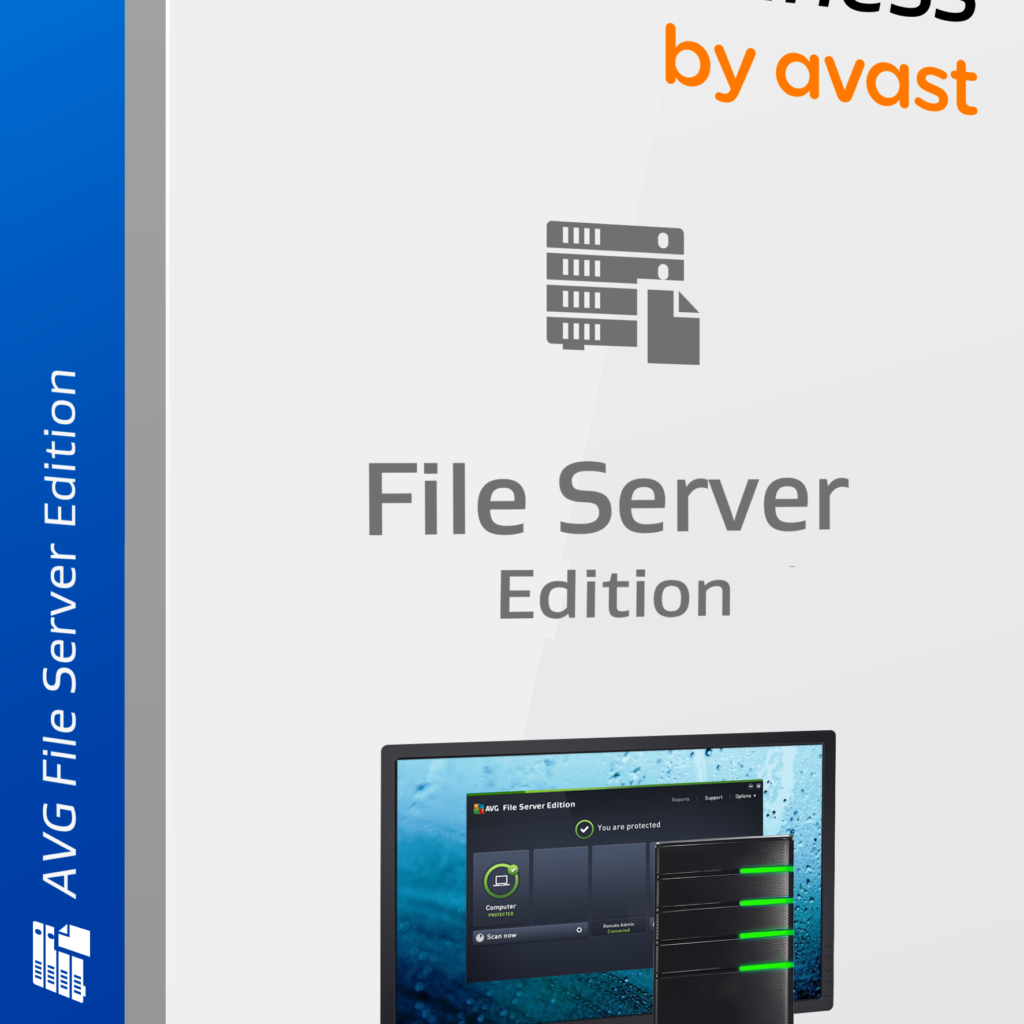
AVG File Server Business Edition(1-200CAL)

Why Every Business Needs AVG File Server Business Edition for Network Security

In today’s fast-paced digital landscape, businesses face constant threats from hackers and malware. Cybercriminals are always searching for vulnerabilities, particularly in business networks where sensitive data, such as customer information and internal documents, is stored. As cyber threats grow more sophisticated, ensuring your business’s network security is crucial. This is where AVG File Server Business Edition steps in.

AVG File Server Business Edition provides businesses with a powerful and comprehensive solution for protecting their files, data, and entire computer networks. With its advanced virus scanner, remote management capabilities, and automatic updates, this security solution is designed to give you peace of mind while keeping your operations running smoothly.

Protecting Files and Business Data

One of the greatest risks businesses face today is unauthorized access to sensitive data. Hackers can exploit weak points in your network to steal valuable information or hold your data for ransom. AVG File Server Business Edition ensures that your files and business data are shielded from these threats.

  • Network Antivirus Scanner: This feature scans your network and file servers, ensuring that any suspicious activity is identified and neutralized before it can cause damage. By continuously monitoring your network, it helps keep your data private and out of the hands of cybercriminals.
  • Real-Time Protection: AVG’s virus scanner works in real-time, meaning it constantly scans for threats and immediately acts to protect your business from malware, ransomware, and other cyberattacks.

Advanced Scanning Engine: Faster and Smarter

AVG File Server Business Edition is equipped with a new, more advanced scanning engine that allows for faster and more efficient scanning. One of the unique aspects of this engine is its ability to scan only when your system is idle, so it never interferes with your work.

  • Non-Disruptive Scanning: The scanning engine is designed to work in the background without slowing down your operations. It automatically scans when you’re not using the system, allowing your team to focus on their tasks without performance interruptions.
  • Proactive Threat Detection: With this advanced scanning engine, threats are detected and eliminated before they can spread, ensuring your business is always ahead of potential attacks.

Centralized Control with Remote Management

Managing security across multiple devices in a business environment can be time-consuming. With AVG File Server Business Edition, your IT administrator can manage security for your entire network from a single location, reducing complexity and ensuring uniform protection across all devices.

  • Remote Installation and Updates: AVG File Server Business Edition allows your administrator to remotely install, update, and configure the software across your network. This means you don’t need to manually manage security on each device—everything can be handled from one central location.
  • Automated Updates: The software automatically updates itself, ensuring your business is always protected against the latest threats without the need for manual intervention. This saves time and ensures that your system is consistently up to date.

Why Your Business Can’t Afford to Ignore Network Security

In a world where data breaches and cyberattacks are becoming more frequent, the cost of not securing your network can be devastating. From lost customer trust to potential legal and financial penalties, the risks are too high to ignore. With AVG File Server Business Edition, you get a robust solution that not only safeguards your network but also gives you the tools to manage and control your security infrastructure efficiently.

Final Thoughts

AVG File Server Business Edition offers the ultimate protection for your business’s network security needs. Its powerful virus scanner, advanced scanning engine, and remote management capabilities provide a comprehensive defense against hackers, malware, and other cyber threats. By investing in the right security solution, you can focus on growing your business, knowing your data and operations are fully protected.

Looking for a reliable solution to safeguard your business? Click here to get AVG File Server Business Edition and secure your network today!

officeimage

The Ultimate Guide to Office Productivity Tools: Work Smarter, Not Harder

Introduction

In today’s competitive business world, maximizing office productivity is crucial. The right tools not only streamline workflows but also foster better collaboration, helping businesses operate more efficiently. This guide will explore key office productivity tools and how to effectively integrate them into your workplace.


Types of Office Productivity Tools

To stay productive, businesses need an array of tools. Here’s a breakdown:

  1. Task Management Tools – Organize tasks and track progress with ease using apps that assign priorities and monitor completion.
  2. Project Management Software – Platforms like Asana, Monday.com, and Basecamp help teams track projects, ensuring deadlines are met.
  3. To-Do List Apps – Apps like Todo list help users manage daily tasks by setting deadlines and reminders, preventing things from slipping through the cracks.
  4. Communication Tools:
    • Email Clients (Outlook, Gmail) manage emails and schedules.
    • Instant Messaging (Slack, Microsoft Teams) enables quick chats, whether remote or in-office.
    • Video Conferencing (Zoom, Google Meet) offers essential features for seamless virtual meetings.
  5. Collaboration Tools:
    • Document Sharing (Google Drive, Dropbox) ensures team access to the latest versions of files.
    • Real-Time Collaboration (Microsoft OneDrive, Quip) allows multiple users to edit documents simultaneously, speeding up the workflow.
  6. Time Management Tools – Use time tracking software like Toggl to monitor how time is spent, while calendar apps like Google Calendar keep schedules organized.

Popular Office Productivity Tools

Here’s a quick look at some leading tools:

  1. Microsoft Office 365
    • Key Features: Includes tools like Word, Excel, and Teams. Cloud-based services allow for access from anywhere.
    • Benefits: Provides a comprehensive solution for document creation, collaboration, and security, making it ideal for businesses of all sizes.
  2. Google Workspace
    • Key Features: Integrates Gmail, Google Docs, Sheets, and Meet with real-time collaboration.
    • Benefits: Easy-to-use interface with powerful cloud capabilities, perfect for teams working remotely.
  3. Trello
    • Key Features: Visual task organization using boards and cards.
    • Benefits: Simple and flexible, making it a favorite for small teams managing workflows.
  4. Slack
    • Key Features: Messaging with channels and direct messages, plus integrations with other tools.
    • Benefits: Great for communication and collaboration, reducing lengthy email threads and making team discussions easier to track.

Implementing Productivity Tools in the Workplace

Effective implementation is key. Here’s how:

  1. Assess Your Needs: Start by identifying pain points and workflow inefficiencies.
  2. Choose the Right Tools: Select tools that align with your goals, keeping user-friendliness and integration capabilities in mind.
  3. Training & Onboarding: Ensure your team knows how to use the tools effectively, offering ongoing support to drive adoption.

Maximizing the Use of Productivity Tools

To get the most out of your tools, follow these steps:

  1. Integrate with Existing Systems: Ensure new tools fit seamlessly into your current workflow.
  2. Encourage Adoption: Highlight the benefits, provide incentives, and create a collaborative culture around tool usage.
  3. Review Regularly: Keep an eye on new updates and features to ensure continued efficiency.

Challenges in Using Productivity Tools

Implementing productivity tools isn’t without its hurdles:

  1. Resistance to Change: Clear communication on the benefits is key.
  2. Tool Overload: Stick to the essentials to avoid overwhelming your team.
  3. Data Security: Choose tools with robust security features and ensure your team is trained on data protection.

Future Trends in Productivity Tools

Stay ahead by embracing the future of productivity:

  1. AI & Automation: Expect more tools with predictive insights and automated processes.
  2. Mobility: As remote work continues to grow, mobility will remain a focus, with tools supporting seamless, on-the-go collaboration.
  3. Enhanced Integration: The future will bring even better integration between platforms, creating smoother workflows.

Conclusion

Boosting office productivity starts with the right tools. By implementing and regularly updating your toolkit, you’ll foster a more efficient, collaborative, and productive work environment.


FAQs

  • What are the most essential productivity tools for small businesses?
    Small businesses should prioritize project management (e.g., Trello or Asana), communication (Slack), and document sharing (Google Drive).
  • How can I ensure my team adopts new tools?
    Training, highlighting tool benefits, and continuous support are critical to successful adoption.
  • What role does AI play in the future of productivity tools?
    AI will streamline tasks through automation and predictive insights, helping teams work faster and smarter.
  • Are free productivity tools effective?
    Yes, though free versions may have limited features, they are often sufficient for small teams.
  • How do I maintain data security with multiple tools?
    Choose tools with strong encryption and regularly update software to safeguard data.
img-12

How to Boost Your PC’s Performance with AVG Cleaner Pro: The Ultimate Guide

Is your PC running slower than usual? Over time, computers accumulate unnecessary files, clutter, and software that can drain performance. From unwanted cache files to background programs that hog system resources, there are numerous reasons why your device may feel sluggish. Fortunately, AVG Cleaner Pro offers a powerful and easy-to-use solution to optimize your PC’s performance, allowing it to run like new again.

In this guide, we’ll show you how to use AVG Cleaner Pro to clean up your PC, free up storage space, extend battery life, and boost overall system efficiency.

Step 1: Clearing Out Unnecessary Clutter

One of the main culprits behind a slow PC is unnecessary clutter—temporary files, residual system junk, and unused applications that pile up over time. AVG Cleaner Pro provides a one-click solution to clean up your device and reclaim valuable space.

  • Quick Cleanup: Launch AVG Cleaner Pro and start by performing a quick scan. This will identify files you no longer need, such as temporary files, system logs, browser caches, and more.
  • Automatic Cleaning: With the premium features, AVG Cleaner Pro automatically clears out junk files on a scheduled basis, ensuring that your system stays clutter-free without any effort on your part.

Step 2: Managing Storage and Disk Space

As your PC’s hard drive fills up, its performance slows down. AVG Cleaner Pro helps you identify and remove large, unnecessary files taking up space.

  • Disk Space Explorer: Use AVG Cleaner’s Disk Space Explorer to find large files and programs you rarely use. The tool provides a breakdown of what’s occupying space, so you can decide what to keep or delete.
  • Duplicate File Finder: AVG Cleaner Pro scans your system for duplicate files—such as multiple versions of documents or photos—so you can eliminate redundant data and free up disk space.

Step 3: Optimizing Battery Life with Battery Saver

If you’re using a laptop or a PC with a limited power supply, battery life is essential. AVG Cleaner Pro’s Battery Saver feature helps extend battery life by optimizing power settings and reducing background processes.

  • Power Profiles: AVG Cleaner Pro offers customized power profiles that adjust performance settings based on your current needs. For instance, it can automatically reduce CPU usage and dim your screen when your battery is running low.
  • App Management: The program identifies resource-heavy apps running in the background and gives you the option to shut them down, further preserving battery life.

Step 4: Boosting System Speed with App and Cache Cleaner

Over time, background apps and cached files accumulate, consuming system resources and slowing down your PC. AVG Cleaner Pro’s App Cleaner and Cache Cleaner features help you manage these processes effectively.

  • App Manager: AVG Cleaner identifies apps running in the background that are unnecessarily using memory and processing power. You can choose which apps to disable or uninstall, significantly boosting performance.
  • Cache Cleaner: This feature helps remove old cache files from web browsers and applications that are taking up memory but not adding value. Clearing out these files helps speed up loading times and improves system responsiveness.

Step 5: Remote PC Management with AVG Zen™

One of AVG Cleaner Pro’s standout features is its integration with AVG Zen™, allowing you to remotely monitor and manage your PC’s performance. Whether you’re at home or on the go, you can check on your system’s health, trigger cleanups, and even control other devices connected to AVG Zen™.

  • Remote Access: From any device connected to AVG Zen™, you can remotely clean up your PC, monitor its performance, and ensure it’s running efficiently.
  • Cross-Device Management: With AVG Zen™, you can also manage other devices—like tablets or smartphones—ensuring all your tech is running smoothly from a single dashboard.

Conclusion: Maximize Your PC’s Potential

AVG Cleaner Pro is more than just a basic clean-up tool—it’s an all-in-one solution designed to keep your PC running at peak performance. By clearing out junk, managing storage, optimizing battery usage, and offering remote access through AVG Zen™, it ensures that your computer remains fast, efficient, and reliable.

Ready to boost your PC’s performance? Click here to get AVG Cleaner Pro and unlock the full suite of premium features today!


image201

Why You Need a Comprehensive Security Suite for Your Windows PC in 2024

As technology continues to advance, so do the threats lurking in the digital world. From viruses and malware to phishing scams and ransomware attacks, cybercriminals are constantly evolving their tactics. To stay one step ahead of these threats, having a comprehensive security suite for your Windows PC is no longer optional—it’s a necessity. In 2024, cyberattacks are expected to rise even further, making it more important than ever to ensure that your computer is well-protected.

The Rise of Cyber Threats in 2024

With more of our daily activities being conducted online, the risk of cyberattacks has skyrocketed. Hackers are targeting individuals and businesses alike, seeking to steal sensitive data, take control of devices, and even extort money through ransomware.

Some of the key threats expected to grow in 2024 include:

  • Malware: Malicious software designed to disrupt, damage, or gain unauthorized access to your PC.
  • Ransomware: A type of malware that locks your files and demands payment to restore access.
  • Phishing Attacks: Fraudulent attempts to steal sensitive information like passwords or credit card numbers by pretending to be a legitimate entity.
  • Spyware: Software that secretly monitors your activities, stealing personal and financial information without your consent.

Given these rising risks, relying solely on basic antivirus software is no longer enough. A comprehensive security suite provides multi-layered protection to address these and other emerging threats.

What is a Comprehensive Security Suite?

A comprehensive security suite combines various protective tools into one package to ensure that your device is secured on multiple fronts. Unlike standalone antivirus software, a complete security suite offers more than just malware protection. It typically includes:

  1. Antivirus Protection: Detects and removes viruses, trojans, worms, and other malware.
  2. Firewall: A barrier that prevents unauthorized access to your computer, blocking suspicious connections and ensuring your network is secure.
  3. VPN (Virtual Private Network): Encrypts your internet connection to protect your online privacy and prevent data theft.
  4. Anti-Phishing: Shields you from websites and emails that attempt to steal your personal information.
  5. PC Tune-up and Cleanup Tools: Optimizes your system’s performance by removing unnecessary files and fixing errors.
  6. Password Manager: Safely stores and encrypts your passwords, helping you create strong, unique credentials for every account.

Why Basic Antivirus Software Isn’t Enough

While basic antivirus programs can defend against malware, they often lack the additional features needed to handle today’s advanced threats. Without a full suite of protection, your computer and personal information are vulnerable to cyberattacks.

A comprehensive security suite goes beyond virus detection and offers:

  • Proactive Protection: Identifying threats before they infiltrate your system.
  • Privacy and Identity Protection: Securing your personal information with VPNs, anti-tracking tools, and identity theft protection.
  • Performance Boosters: Keeping your PC running smoothly with system optimization and cleanup features.

Benefits of a Comprehensive Security Suite

In 2024, securing your Windows PC with a comprehensive security suite offers numerous advantages, including:

  • All-in-One Solution: Instead of installing multiple separate programs, a security suite provides all the tools you need in one convenient package.
  • Enhanced Protection: With the growing number of cyber threats, a security suite ensures that your computer is protected from malware, phishing attacks, ransomware, and more.
  • Improved Performance: Many suites include system optimization tools that help keep your computer running efficiently.
  • Peace of Mind: Knowing that all your data, from personal files to sensitive online transactions, is protected.

Final Thoughts

In 2024, the digital landscape is more perilous than ever, and having robust protection is essential. A comprehensive security suite for your Windows PC offers the full range of protection needed to secure your device, privacy, and personal data from the ever-growing threats in cyberspace.

For an all-in-one solution that combines advanced antivirus protection, a secure VPN, and system optimization tools, click here to get Avast Ultimate for Windows. It’s the perfect bundle to ensure your device stays protected and optimized in today’s rapidly changing digital environment.

VPN Image

The Importance of VPNs and Antivirus Software for Protecting Your Digital Privacy

As we navigate an increasingly digital world, safeguarding your online privacy has become more crucial than ever. With cybercriminals becoming more sophisticated and governments increasing surveillance, securing your online activities is not a luxury but a necessity. Two essential tools for maintaining your privacy are Virtual Private Networks (VPNs) and antivirus software. Together, they form a comprehensive defense against threats that can compromise your data and online identity.

What is a VPN, and Why Do You Need It?

A Virtual Private Network (VPN) is a tool that helps you stay anonymous and secure on the internet. It works by encrypting your internet connection and routing it through a secure server, masking your IP address and location. This ensures that your online activities, such as browsing, streaming, and even shopping, remain private from prying eyes.

Key Benefits of Using a VPN:

  1. Data Encryption: A VPN encrypts all the data that travels between your device and the internet, making it unreadable to hackers, governments, or even your internet service provider.
  2. Location Privacy: By masking your IP address, a VPN helps prevent websites and services from tracking your physical location. This is especially useful when using public Wi-Fi networks, which are more susceptible to cyber threats.
  3. Access to Geo-Restricted Content: Many websites and streaming services restrict content based on your geographical location. With a VPN, you can bypass these restrictions by appearing to be in a different region.

Why Antivirus Software is Essential for Privacy

While VPNs protect your privacy by encrypting your internet connection, antivirus software defends your device from threats such as malware, ransomware, and spyware. Cybercriminals often use malicious software to steal sensitive data, track your online activities, or even take control of your device.

Key Benefits of Antivirus Software:

  1. Malware Protection: Antivirus software scans your device for harmful programs and removes them before they can cause damage.
  2. Ransomware Defense: Ransomware locks your files and demands payment to unlock them. Advanced antivirus programs can detect and stop ransomware attacks before they succeed.
  3. Spyware Prevention: Spyware silently collects your personal data and online activities. Antivirus software helps prevent this by detecting and removing spyware.

Combining VPNs and Antivirus for Maximum Privacy

While VPNs and antivirus software each provide valuable protection on their own, combining them creates a formidable defense against both online and offline threats. Here’s why you should consider using both:

  • Comprehensive Protection: A VPN ensures your online activities are private, while antivirus software shields your device from threats. Together, they offer a well-rounded security solution.
  • Data Security on Public Networks: VPNs encrypt your data on public Wi-Fi, but public networks are often breeding grounds for malware. With antivirus software, you’ll be protected from malicious files or links that may be present.
  • Prevent Data Breaches: Even with a VPN, a device infected with malware can still lead to data breaches. Antivirus software stops malware from accessing sensitive information on your device.

Final Thoughts

In our hyper-connected era, ensuring the security of your personal information online is vital. By using both a VPN and antivirus software, you can safeguard your personal information from cybercriminals, protect your online identity, and ensure your data remains secure, even when using public Wi-Fi.

For an all-in-one solution that combines advanced antivirus protection with a secure VPN and PC cleanup tools, click here to get Avast Ultimate for Windows. It’s the perfect bundle to ensure your device stays protected and optimized.

post image

Why Regular Software Updates Are Crucial for Your Business

In today’s fast-paced digital world, keeping your software up-to-date is more than just a routine task—it’s a critical component of your business’s security, performance, and overall efficiency. Regular software updates are essential for safeguarding your systems, enhancing functionality, and ensuring compatibility with emerging technologies. In this blog post, we’ll explore why regular software updates are crucial for your business and how they can impact your operations positively.

Understanding Software Updates

Software updates are enhancements or fixes provided by software developers to improve functionality, address bugs, and address security vulnerabilities. These updates can come in various forms, including patches, service packs, and major upgrades, each serving a unique purpose to enhance the software’s performance and security.

The Importance of Regular Software Updates

1. Enhanced Security

One of the most critical reasons for regular software updates is to protect your business from cyber threats. Developers frequently release updates to patch security vulnerabilities that could be exploited by hackers.. Without these updates, your systems remain vulnerable to attacks, which could lead to data breaches, financial losses, and damage to your company’s reputation. By staying current with software updates, you can safeguard your business against potential threats and ensure your data remains secure.

2. Improved Performance and Stability

Software updates often include performance enhancements and bug fixes that can improve the overall stability and efficiency of your systems. By installing updates, you ensure that your software operates smoothly, minimizing downtime and reducing the risk of crashes or malfunctions. Improved performance also translates to a better user experience, which can positively impact employee productivity and customer satisfaction.

3. New Features and Functionality

Updates often come with new features and functionalities that can enhance your software’s capabilities. These additions can help streamline your business processes, introduce innovative tools, and provide new opportunities for growth. By regularly updating your software, you can take advantage of the latest technological advancements and stay competitive in your industry.

4. Compatibility with Other Software

As new software and technologies emerge, compatibility issues can arise if your systems are outdated. Regular updates ensure that your software remains compatible with other applications and systems, reducing the risk of integration problems and ensuring seamless operation across your technology stack. This compatibility is crucial for maintaining an efficient workflow and avoiding disruptions in your business operations.

5. Compliance with Regulations

For many industries, compliance with regulations and standards is a critical aspect of operations. Software updates often include changes that ensure compliance with industry regulations and standards, helping you avoid legal issues and penalties. Staying up-to-date with software updates ensures that your business remains compliant with the latest requirements and best practices.

Best Practices for Managing Software Updates

1. Create a Update Schedule

Establish a regular schedule for checking and applying software updates. This can help you stay on top of updates and ensure that you don’t miss critical patches or enhancements. Depending on your business’s needs, you might choose to apply updates weekly, monthly, or quarterly.

2. Automate Updates When Possible

Many software programs provide the ability to automate updates. Enabling automatic updates can streamline the process and ensure that you always have the latest security patches and features without manual intervention. However, it’s essential to review the updates periodically to ensure they are applied correctly and do not interfere with your systems.

3. Test Updates Before Deployment

Before rolling out updates across your entire organization, test them in a controlled environment to ensure they don’t cause compatibility issues or disrupt your systems. This testing phase can help identify potential problems and allow you to address them before deploying updates to your entire infrastructure.

4. Backup Your Data

Before applying updates, make sure to back up your data to prevent any loss in case something goes wrong during the update process. Regular backups ensure that you have a recovery plan in place and can quickly restore your systems if needed.

How BuySoftwareHub.com Can Help

At BuySoftwareHub.com, we understand the importance of maintaining up-to-date software to ensure the security and efficiency of your business operations. While our focus is on providing top-quality operating systems, utilities, and antivirus software, we also emphasize the importance of regular updates as part of your software management strategy.

By choosing our products, you not only gain access to reliable and effective software solutions but also benefit from our commitment to helping you stay current with the latest updates and advancements. Our comprehensive range of software is designed to meet your diverse needs, ensuring that your business remains secure, efficient, and competitive in today’s digital landscape.

Explore our offerings today and discover how our software solutions can support your business’s growth and success. With BuySoftwareHub.com, you can trust that you’re investing in products that will keep your systems up-to-date and optimized for peak performance.