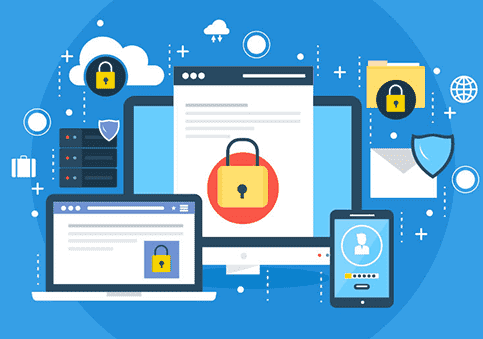
cloud based antivirus

🌍 Cloud-Based Antivirus: Why Businesses Are Switching in 2025

In 2025, businesses face an increasingly complex digital landscape. Cyberattacks are more sophisticated, ransomware is growing in scale, and endpoint vulnerabilities are everywhere. Traditional on-premise antivirus solutions, while reliable, often struggle to keep pace with the dynamic threat environment.

This is why cloud-based antivirus solutions are becoming the go-to choice for businesses of all sizes. With cloud security, companies gain real-time threat detection, centralized management, and seamless scalability, all while reducing hardware costs and IT overhead.

In this guide, we’ll explore why businesses are making the switch to cloud-based antivirus, how to implement it effectively, and the tangible benefits your organization can gain.

πŸ›‘οΈ What is Cloud-Based Antivirus?

Cloud-based antivirus is a security solution where malware detection and updates are managed via the cloud, rather than locally on each device. This architecture allows IT teams to monitor endpoints, deploy updates, and respond to threats in real time β€” regardless of location.

Unlike traditional antivirus:

  • There’s no need for constant manual updates on every device.

  • Threat intelligence is updated instantly across all endpoints.

  • Remote workforces and multi-branch organizations can be secured from a single console.

Why Businesses Are Switching

  1. Remote & Hybrid Workforce Support
    Cloud-based antivirus works seamlessly for employees working from home, co-working spaces, or multiple office locations.

  2. Automatic Updates & Threat Intelligence
    With cyber threats evolving every day, cloud solutions provide continuous AI-driven protection without manual intervention.

  3. Lower IT Overhead
    Since processing and updates happen in the cloud, businesses spend less on local servers, maintenance, and software management.

πŸ’¬ CTA: Protect your business from evolving threats. Explore licensed cloud-based antivirus solutions at Buy Software Hub today.

🌐 Key Features of Cloud-Based Antivirus

When selecting a cloud-based antivirus solution, look for the following features:

1. Real-Time Threat Detection

Cloud antivirus platforms use AI and machine learning to detect malware, ransomware, and phishing attempts as they occur.

2. Centralized Management Console

IT teams can monitor all devices, enforce security policies, and push updates from a single web-based dashboard.

3. Endpoint Security & Device Control

Admins can manage laptops, desktops, servers, and even mobile devices β€” restricting USB usage, preventing unauthorized software installation, and encrypting sensitive data.

4. Cloud Threat Intelligence

Advanced cloud antivirus solutions analyze data across millions of endpoints globally, identifying new threats faster than traditional solutions.

5. Integration & Compatibility

Cloud-based antivirus often integrates with firewalls, VPNs, and other enterprise software for a complete security ecosystem.

6. Scalable Licensing

Cloud solutions allow businesses to add or remove endpoints with ease, making it ideal for growing organizations or seasonal workforce changes.

πŸ’¬ CTA: Switch to cloud-based antivirus with confidence. Browse Kaspersky, AVG, and Bitdefender cloud solutions at Buy Software Hub β€” fully licensed and enterprise-ready.

βš™οΈ How to Use and Implement Cloud-Based Antivirus

Implementing cloud-based antivirus doesn’t have to be complicated. Here’s a step-by-step guide:

Step 1: Assess Your Environment

Identify all endpoints, servers, and network-connected devices. Determine how many users will need access, including remote employees.

Step 2: Choose the Right Solution

Select a cloud antivirus vendor based on your business size, risk profile, and desired features. Consider options from Kaspersky, AVG, Norton, or Bitdefender.

Step 3: Deploy Centralized Management Console

Install the management console on a secure server or cloud instance. This will serve as your command center for monitoring and updating endpoints.

Step 4: Install Endpoint Agents

Deploy lightweight agents on all employee devices. These agents communicate with the cloud for real-time scanning, updates, and reporting.

Step 5: Configure Security Policies

Set up rules for malware scanning, firewall settings, USB device control, and web filtering. Tailor policies for different departments or user roles.

Step 6: Train Employees

Educate staff on phishing, suspicious downloads, and safe browsing. Even cloud-based antivirus requires human vigilance to be most effective.

Step 7: Monitor & Update

Use your centralized console to track threats, apply updates, and generate reports. Cloud antivirus often updates automatically, reducing IT workload.

πŸ’¬ CTA: Let our experts at Buy Software Hub help implement your cloud antivirus solution β€” fast, secure, and fully licensed.

πŸ’‘ Benefits of Cloud-Based Antivirus

Switching to cloud-based antivirus delivers measurable advantages:

1. Real-Time Protection

Threat intelligence is updated constantly, so malware, ransomware, and phishing attempts are blocked before they can damage your network.

2. Simplified IT Management

IT teams manage all devices through a single console, reducing manual updates and maintenance.

3. Cost Efficiency

No need to maintain on-premise servers or constantly update software manually β€” cloud antivirus saves both money and time.

4. Remote Workforce Security

Cloud-based solutions allow secure access for remote employees, ensuring business continuity even in a distributed work environment.

5. Scalability & Flexibility

Add or remove users as your company grows. Cloud-based antivirus scales seamlessly without disrupting operations.

6. Compliance Assurance

Many cloud antivirus solutions help businesses meet data protection and industry compliance requirements like GDPR, HIPAA, and ISO standards.

πŸ”’ Conclusion

In 2025, businesses cannot afford to rely on traditional antivirus alone. Cloud-based antivirus offers smarter, faster, and more efficient protection against modern cyber threats. By integrating AI-powered threat detection, real-time updates, centralized management, and seamless scalability, cloud antivirus is redefining business security.

Whether your company is a small startup, a medium-sized enterprise, or a large multinational, the switch to cloud-based antivirus provides peace of mind, cost savings, and robust security.

πŸš€ Call to Action

πŸ’» Secure your business today with cloud-based antivirus from Buy Software Hub!

  • 100% licensed solutions from top brands: Kaspersky, AVG, Bitdefender, Norton

  • Centralized, cloud-based management for remote and in-office teams

  • Expert setup, deployment, and ongoing support

  • Scalable licensing to match your growth

Visit Buy Software Hub to get started β€” protect your business from cyber threats in 2025 and beyond.

endpoint-protection-software

πŸ•΅οΈ How Endpoint Protection Keeps Your Remote Workforce Secure in 2025

🌐The New Frontier of Work and Risk

The modern workplace has permanently shifted. In 2025, remote and hybrid work models are no longer a trend β€” they’re the norm. Employees connect from home offices, coffee shops, and airports using laptops, tablets, and smartphones.

While this flexibility increases productivity and satisfaction, it also expands your attack surface. Every device that connects to your network is an endpoint β€” and every endpoint is a potential doorway for cybercriminals.

That’s where Endpoint Protection comes in.

At Buy Software Hub, we provide advanced, licensed endpoint protection solutions from Kaspersky, AVG, and other industry leaders to help businesses protect every connected device, no matter where it’s used.

🧱 What Is Endpoint Protection?

Endpoint Protection, sometimes called Endpoint Security, is a comprehensive cybersecurity approach that safeguards every device connected to your corporate network β€” desktops, laptops, servers, and even mobile phones.

It combines antivirus, firewall, intrusion prevention, and advanced AI-based defense to monitor, detect, and block threats in real time.

Unlike traditional antivirus software that protects only individual devices, endpoint protection gives IT teams centralized visibility and control across the entire organization.

In Simple Terms:

If antivirus is a lock on a single door, endpoint protection is a smart security system that guards every door, window, and access point β€” and alerts you the moment someone tries to break in.

πŸ’¬ CTA: Secure every device in your network today with licensed Kaspersky Endpoint Security or AVG Business Security from Buy Software Hub β€” trusted by businesses worldwide.

🧩 Why Endpoint Protection Matters in Remote Work

When your team works remotely, you lose the physical perimeter of your office network. Suddenly, you’re relying on home Wi-Fi, personal routers, and shared devices β€” all of which are often unsecured.

Here’s what that means:

  • 🏠 Employees connect to company data through vulnerable home networks. 
  • πŸ’» Personal devices may lack security updates. 
  • ☁️ Cloud applications expand the risk of data leaks. 
  • πŸ”— Shared files can carry hidden malware or ransomware payloads. 

Without endpoint protection, it only takes one infected laptop to compromise your entire organization.

Endpoint Security solves this by:

  • Enforcing consistent security policies on all devices 
  • Monitoring for suspicious activity and unauthorized access 
  • Automatically blocking and isolating infected systems 
  • Encrypting sensitive files and data transfers 

βš™οΈ Key Features of Modern Endpoint Protection

In 2025, top-tier endpoint solutions do much more than virus scanning. Here are the technologies that keep businesses safe:

1. AI-Powered Threat Detection

Machine learning identifies new and evolving threats that signature-based tools miss.

2. Behavioral Monitoring

Watches for unusual patterns β€” like unauthorized encryption or data exfiltration β€” to stop ransomware in real time.

3. Cloud-Based Management Console

Admins can monitor, update, and secure every endpoint remotely through a single dashboard.

4. Web and Application Control

Restricts access to unsafe websites and unauthorized apps.

5. Data Encryption and USB Control

Protects confidential files and prevents data leakage via external drives.

6. Automated Updates and Patch Management

Ensures every device stays current, even when off-network.

πŸ›‘οΈ CTA: Explore Kaspersky Endpoint Security Cloud Plus or AVG Cloud Management Console at Buy Software Hub β€” fully licensed, scalable, and built for modern teams.

πŸ–₯️ How Endpoint Protection Works

Endpoint protection solutions function through a client-server model:

  1. Security Agent Installation
    Each device (endpoint) gets a lightweight agent installed. 
  2. Centralized Management Console
    All agents report to a cloud dashboard where admins can view device health, threats, and compliance. 
  3. Continuous Monitoring
    The system monitors device behavior 24/7, looking for anomalies or policy violations. 
  4. Threat Response
    If a threat is detected, the platform automatically quarantines or disconnects the affected device before it spreads malware. 
  5. Reporting & Compliance
    Detailed logs and reports help businesses meet data protection regulations like GDPR. 

This makes endpoint protection an essential part of any Zero-Trust Security Framework, where every connection is verified before granting access.

πŸ” Top Endpoint Protection Software for Businesses in 2025

1. Kaspersky Endpoint Security Cloud Plus

  • AI-driven multi-layer protection 
  • Centralized management for remote and hybrid teams 
  • Device control, encryption, and web filtering 
  • Integrates seamlessly with Microsoft 365 and cloud apps 

βœ… Ideal for small to medium businesses seeking enterprise-level protection.

2. AVG Business Security Cloud Edition

  • Lightweight, easy-to-deploy solution 
  • Real-time AI scanning and ransomware defense 
  • Remote management console for full visibility 
  • Automatic updates for all endpoints 

βœ… Best for startups and growing businesses needing simple, powerful protection.

3. Bitdefender GravityZone Business Security

  • Network-level threat analytics 
  • Cloud sandboxing for suspicious files 
  • Integrated patch management 

βœ… Perfect for enterprises that handle sensitive customer or financial data.

πŸ’¬ CTA: Compare these top-rated, AI-powered endpoint security solutions at Buy Software Hub β€” with verified licenses, expert support, and flexible business pricing.

🧠 How to Implement Endpoint Protection in Your Remote Workforce

Implementing endpoint protection is simpler than most businesses think:

Step 1: Evaluate Your Current Setup

Identify every device that connects to your network, including BYOD (Bring-Your-Own-Device) systems.

Step 2: Choose a Centralized Solution

Pick an endpoint protection suite that allows cloud-based management (like Kaspersky or AVG Cloud).

Step 3: Install Endpoint Agents

Deploy lightweight client software on all company and remote devices.

Step 4: Define Security Policies

Set permissions for software usage, web access, and data transfers.

Step 5: Enable Continuous Monitoring

Keep watch for unauthorized logins, malware attempts, or unusual activity.

Step 6: Train Employees

Educate your team on safe browsing, phishing awareness, and reporting suspicious alerts.

πŸ’Ό Key Benefits of Endpoint Protection

  • Centralized Control: Manage every device from one dashboard. 
  • Consistent Compliance: Enforce data protection standards across all remote endpoints. 
  • Real-Time Response: Instantly isolate compromised devices. 
  • Data Privacy: Encrypt sensitive business information. 
  • Reduced Downtime: Prevent costly disruptions caused by malware or ransomware. 
  • Improved ROI: Minimizes losses, boosts customer trust, and supports business continuity. 

⚑ CTA: Protect your distributed workforce today β€” get licensed Endpoint Security Solutions from Buy Software Hub and secure your business against 2025’s evolving threats.

πŸ” Case Study: How One Business Secured Its Remote Team

A fintech startup with 45 remote employees adopted AVG Business Security Cloud Edition via Buy Software Hub. Within weeks, AVG’s AI engine detected unusual login patterns from an unfamiliar IP address in Eastern Europe.

The system automatically blocked access, isolated the device, and alerted the admin team β€” all before data was compromised.

That single prevention saved the company thousands in potential losses and solidified their confidence in endpoint security.

πŸš€ Conclusion: The Future of Work Demands the Future of Security

Remote work isn’t going anywhere β€” and neither are cyber threats. As hackers evolve their methods, businesses must evolve their defenses.

Endpoint Protection is the foundation of modern cybersecurity β€” giving you visibility, control, and confidence across every connected device.

Whether your team is across town or across continents, AI-powered endpoint protection ensures your operations remain secure, compliant, and resilient.

πŸ›’ Final Call to Action

πŸ•΅οΈ Secure your remote workforce β€” before hackers do.

Visit Buy Software Hub to get:
βœ… Licensed endpoint protection from Kaspersky, AVG, and Bitdefender
βœ… Cloud-based management tools for remote oversight
βœ… Expert deployment assistance and affordable pricing

πŸ”— Protect every endpoint, empower every employee, and secure your business for the future.